Clean Audio
AI background noise remover for voice recordings and videos
AIFreemium#audio-processing#noise-reduction#browser-tool
Launches Feb 6, 2027 at 00:00 UTC


What is Clean Audio?
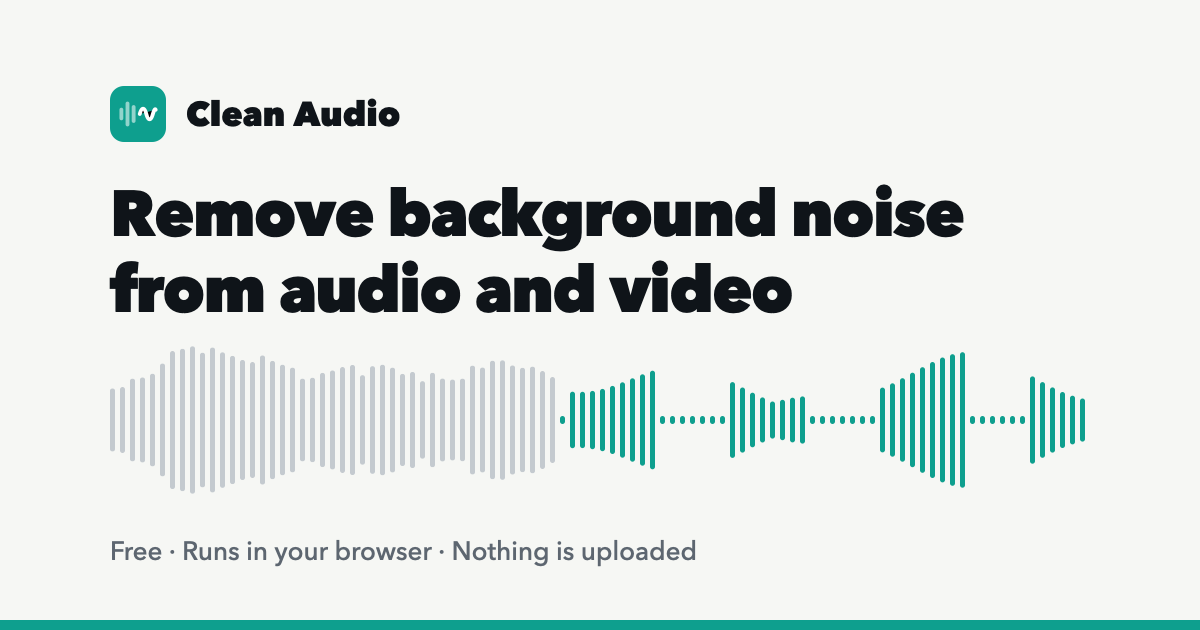
Clean Audio is a free web tool that removes background noise from audio and video files directly in your browser. It uses a speech-trained neural network called DeepFilterNet3, which runs locally via WebAssembly. Files are processed on your own device and are never uploaded to a server.
The tool supports common formats including MP3, WAV, M4A, FLAC, MP4, MOV, and WebM. Users can drop files up to 30 minutes or 2 gigabytes in size, compare the original and cleaned versions side by side, adjust the reduction strength, and download the results as MP3, WAV, MP4, or WebM. A 12 megabyte noise model downloads once and stays cached for future sessions.
While the browser-based cleaning is completely free with no daily limits, an optional cloud mode called Studio offers a larger model for heavily noisy files. Studio requires a signed-in account and provides two free minutes per day, with additional time available through paid packs or a monthly subscription.
Clean Audio features
- Removes steady fan, AC hum, wind, hiss, and keyboard clicks from recordings
- Processes all files locally in the browser without uploading them
- Supports audio and video formats up to 30 minutes or 2 gigabytes
- Lets users compare original and cleaned audio before downloading
- Exports clean sound as MP3, WAV, MP4, or WebM files
- Offers an optional cloud mode with a larger noise reduction model
Who uses Clean Audio and for what
- Podcasters clean guest tracks recorded in noisy kitchens or offices
- YouTubers remove fan or air conditioning noise from talking head clips
- Teachers make online lectures and presentations easier to understand
- Journalists clear up interviews recorded on mobile phones
- Video editors perform quick audio cleanup before importing projects into editing software
Clean Audio FAQ
Is Clean Audio free to use?
Yes, the browser-based noise removal tool is completely free with no daily limits. An optional cloud mode called Studio costs money but includes two free minutes per day for signed-in accounts.
Does Clean Audio upload my files to a server?
No. The free version downloads a noise model to your browser and processes everything locally on your device. Only the optional Studio cloud mode sends files to their servers, and those uploads are deleted within a day.
What file formats does Clean Audio support?
It accepts MP3, WAV, M4A, AAC, FLAC, OGG, Opus for audio, and MP4, MOV, M4V, WebM, MKV for video. Cleaned files export as MP3, WAV, MP4, or WebM depending on your selection.
Can I remove background noise from a video?
Yes. You can drop MP4, MOV, or WebM files into the tool and choose to download the cleaned video. The video codec is copied without re-encoding while only the audio track is replaced.
Will my voice sound robotic after using Clean Audio?
The tool suggests a strength setting based on the recording. Very noisy files get full reduction, while cleaner ones use lighter settings to avoid making voices sound thin. You can adjust the slider and compare results before saving.
Comments (0)
No comments yet. Ask the maker a question or share how you would use it.
More AI launches
Generate and edit images in plain language.
Create personalized AI portraits, images and videos.
Star in the viral Bulin 47 freestyle video from one photo

Agent BarnOpen source · verified
Run your AI agents from one place
Try on 1000+ real hairstyles with realistic AI previews

Turn a portrait into a 23-second AI party video