Enhance.Place
Upscale and enhance photos and videos locally or online
AIFree#image-enhancement#video-upscaling#windows-app
Launches Nov 15, 2026 at 00:00 UTC


What is Enhance.Place?
Enhance.Place provides a free online tool and a Windows application for enhancing images and videos. The web interface allows users to upload a single JPG, PNG, or WebP file up to 6 MB and 8 megapixels. Users can select a 2× or 4× upscale factor, with output capped at 32 megapixels. The service processes uploads on a server without requiring a login or credits.
For local processing, the Windows app runs on Windows 10 and 11. It uses GPU acceleration through DirectML to handle batch jobs across folders of photos and videos. Files remain on the computer, so the software works fully offline and avoids cloud queues. The app supports NVIDIA, AMD, and Intel graphics cards, with performance scaling based on hardware capabilities and output resolution.
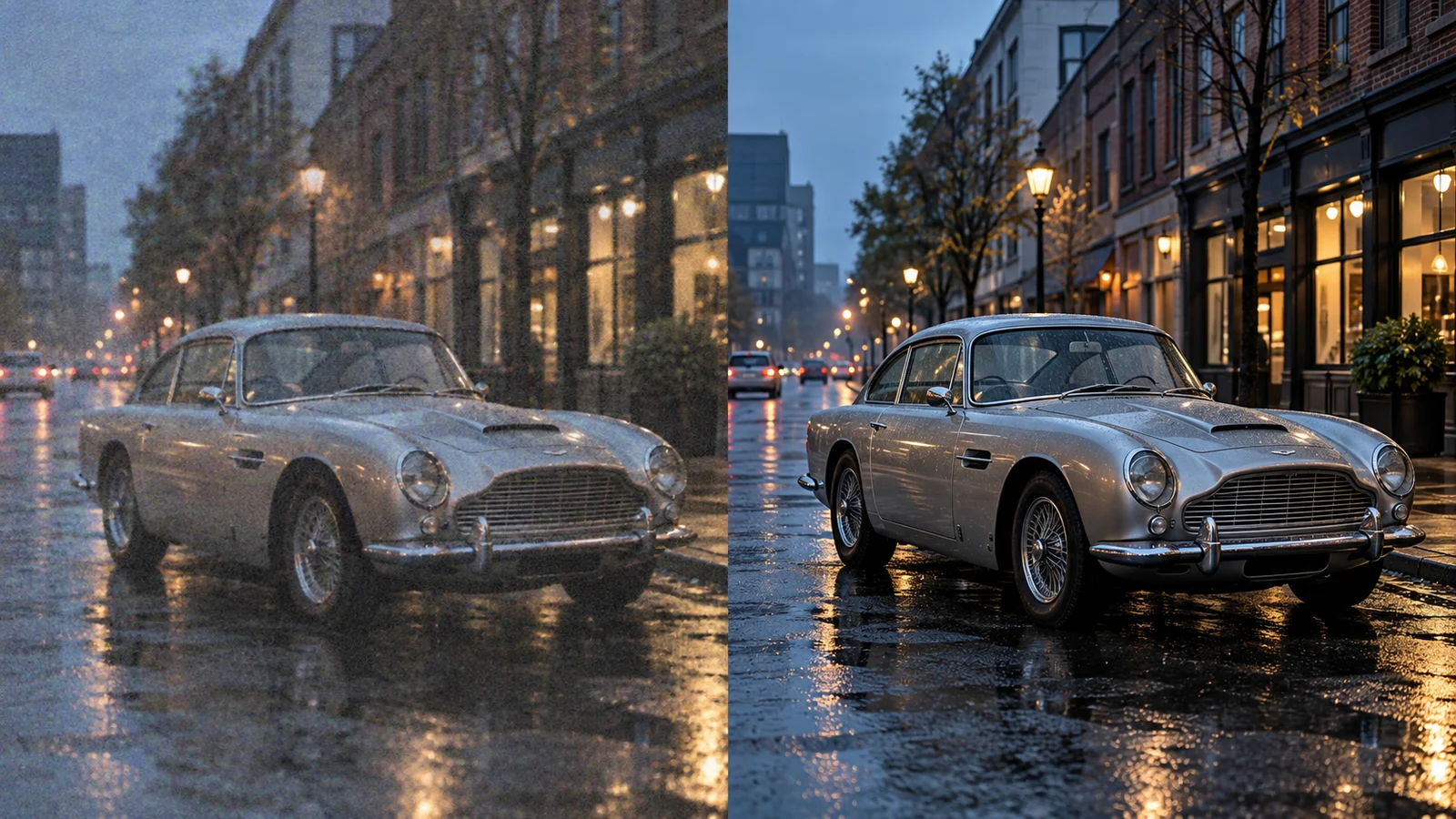
Enhancement functions include increasing resolution, reducing visual noise, and sharpening soft edges. Video processing preserves the original frame rate and audio tracks. The website notes that severe blur or missing detail may not be fully recoverable, and extreme upscaling ratios should be tested on sample clips first.
Made by Chris, an indie developer. Contact: clapclip.ai@gmail.com
Enhance.Place features
- Upscale images 2x or 4x directly in the browser
- Local Windows app for private photo and video processing
- GPU-accelerated batch processing on Windows 10 and 11
- Automatically reduces noise and sharpens soft edges
- Runs completely offline without uploading files to servers
- Compatible with NVIDIA, AMD, and Intel GPUs via DirectML
Who uses Enhance.Place and for what
- Improve low-resolution product photos for an online store catalog
- Clean up grainy home videos before sharing them with family
- Batch upscale historical photographs for digital preservation
- Sharpen blurry screenshots captured during remote troubleshooting
- Prepare low-resolution game assets for high-definition displays
Enhance.Place FAQ
Is ClapClip AI free?
Yes. Both the online image enhancer and the Windows application are free. No account creation or usage credits are required to use the web tool.
Does ClapClip AI work offline?
Yes. After installing the Windows app, all enhancement tasks run locally on your computer. Files are never uploaded to a cloud server.
What file types does ClapClip AI accept?
The online tool accepts JPG, PNG, and WebP images. The Windows app processes photos and videos, but the website does not specify which video formats are supported.
Can I upscale videos with ClapClip AI?
Yes. The Windows app can increase the spatial resolution of video files while keeping the original frame rate and audio intact. The online version only handles still images.
Which graphics cards are supported?
The Windows app works with compatible NVIDIA, AMD, and Intel GPUs using DirectML. Processing speed depends on your specific hardware, available memory, and chosen output size.
Comments (0)
No comments yet. Ask the maker a question or share how you would use it.
More AI launches
Generate and edit images in plain language.
Star in the viral Bulin 47 freestyle video from one photo
Cinematic AI video from text, images, and audio
AI video face swap studio for photos, videos and GIFs
AI sprite animations for indie 2D game builders

Turn a portrait into a 23-second AI party video