EnhanceWizard
Free AI image enhancer: upscale, unblur and sharpen photos.
AIFreemium#image-enhancement#photo-upscaling#browser-tool
Launches Jan 2, 2027 at 00:00 UTC



What is EnhanceWizard?
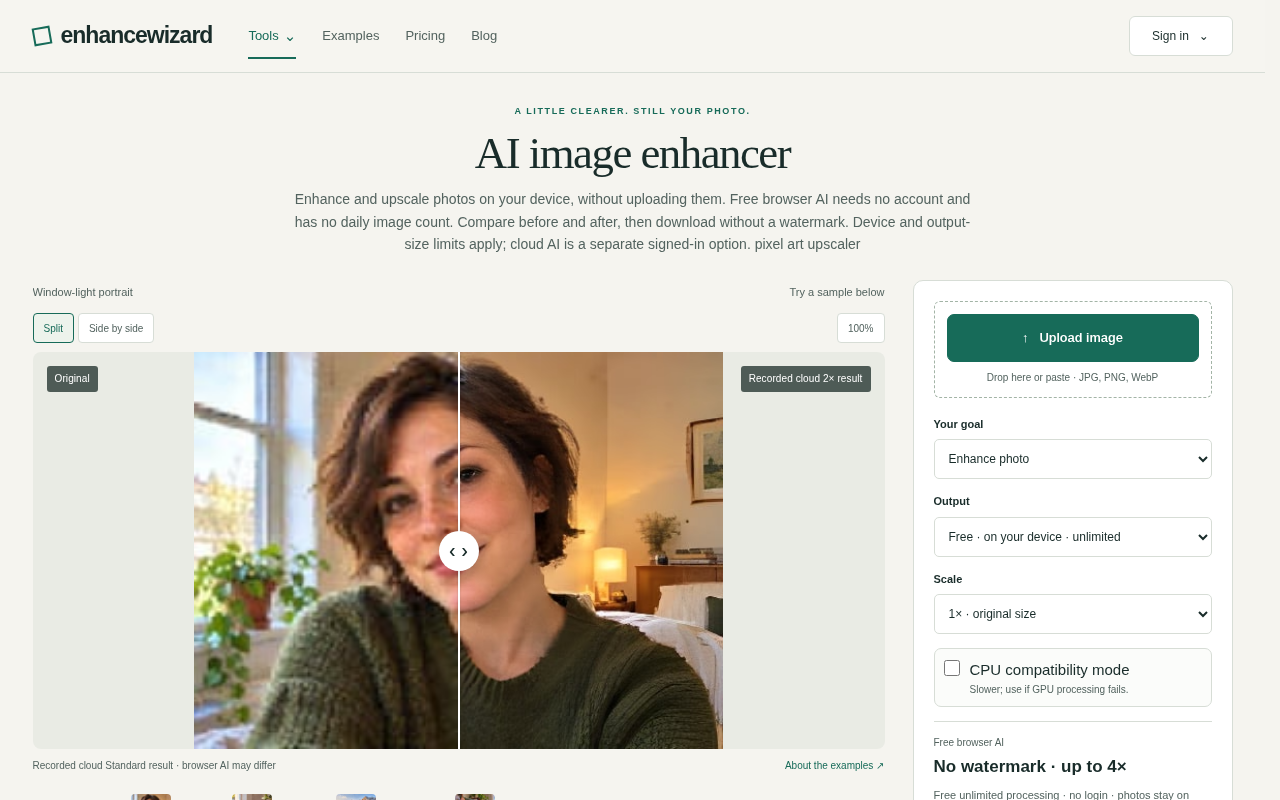
EnhanceWizard is an AI photo enhancer that upscales, unblurs and sharpens images right in the browser. The free Standard tier works up to 1024px with no watermark and no sign-up card; HD output is available with credits.
Free AI image enhancer: upscale, unblur and sharpen photos online. EnhanceWizard is built for anyone who has a photo that is too small, too soft or slightly out of focus and wants a better version without installing software or learning a complicated editor.
What it does: upload an image and EnhanceWizard uses AI to upscale it to a larger size, reduce blur and sharpen fine detail. Everything happens online in your browser, so there is nothing to download and no desktop app to set up.
Who it is for: anyone who works with photos, such as people tidying up personal pictures, sellers preparing product shots, bloggers and designers who need a cleaner image, and anyone searching for an image upscaler, a photo enhancer or a way to unblur an image.
Pricing: EnhanceWizard is freemium. The free Standard tier enhances images up to 1024px, adds no watermark and does not ask for a credit card at sign-up. If you need higher resolution results, HD output is available with credits, so you only pay when you want more.
Use cases: upscale a small image, unblur a shaky photo, sharpen a soft picture, and improve photos before sharing or publishing them online.
Try the free Standard tier at enhancewizard.com.
EnhanceWizard features
- AI upscale, unblur and sharpen photos in the browser
- Free Standard tier up to 1024px with no watermark
- No credit card required to start
- HD output available with credits
- Works online with nothing to install
- Before-and-after comparison of enhanced results
Who uses EnhanceWizard and for what
- Upscale a small photo before sharing or publishing
- Unblur a shaky or slightly out-of-focus picture
- Sharpen a soft image for a cleaner result
- Prepare product shots for online listings
- Tidy up personal, blog or design photos
EnhanceWizard FAQ
Is there a free plan?
Yes. The free Standard tier enhances images up to 1024px, adds no watermark and does not ask for a credit card at sign-up.
What does EnhanceWizard do?
It uses AI to upscale, unblur and sharpen photos right in the browser, with no software to install.
Do I need to create an account?
You can use the free Standard tier without a sign-up card. HD output is available with credits if you need higher resolution results.
What image types does it support?
Upload a photo in your browser and EnhanceWizard enhances it online. The free Standard tier works up to 1024px.
How do I get higher resolution?
HD output is available with credits, so you only pay when you want more than the free Standard tier.
Comments (0)
No comments yet. Ask the maker a question or share how you would use it.
More AI launches
Generate and edit images in plain language.
Create personalized AI portraits, images and videos.
Star in the viral Bulin 47 freestyle video from one photo

Agent BarnOpen source · verified
Run your AI agents from one place
Try on 1000+ real hairstyles with realistic AI previews

Turn a portrait into a 23-second AI party video