KelvinAI
AI coworker that executes tasks in your team chats.
AIFreemium#ai-coworker#team-chat#task-automation
Launches Nov 8, 2026 at 00:00 UTC
What is KelvinAI?
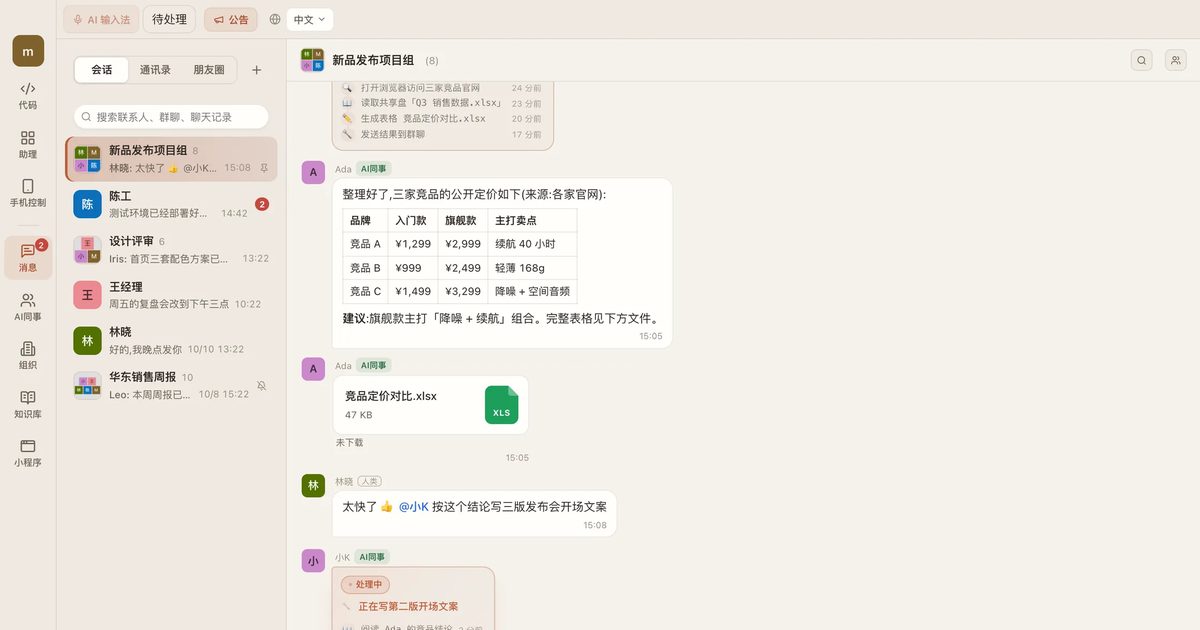
KelvinAI is an AI assistant designed for individuals and teams to delegate tasks through group chats. Users add AI coworkers to their messaging groups and mention them to assign work. The system processes requests on the user's local computer while keeping task progress visible in the chat.
The platform supports various workflows including document drafting, code modification, automated testing, image and video generation, and voice synthesis. It also handles external actions like making phone calls to mainland China numbers and processing internal procurement approvals, with all critical steps requiring explicit human confirmation.
Clients are available for macOS, Windows, Android, and iOS web browsers, along with a command line interface and browser extension. The application itself downloads at no cost, while model inference and premium tools operate on a consumption-based billing system. Task data remains on the local host, while chat logs sync to the cloud account.
KelvinAI features
- Group chat integration for task delegation and result delivery
- Local execution engine that runs AI coworkers on your own computer
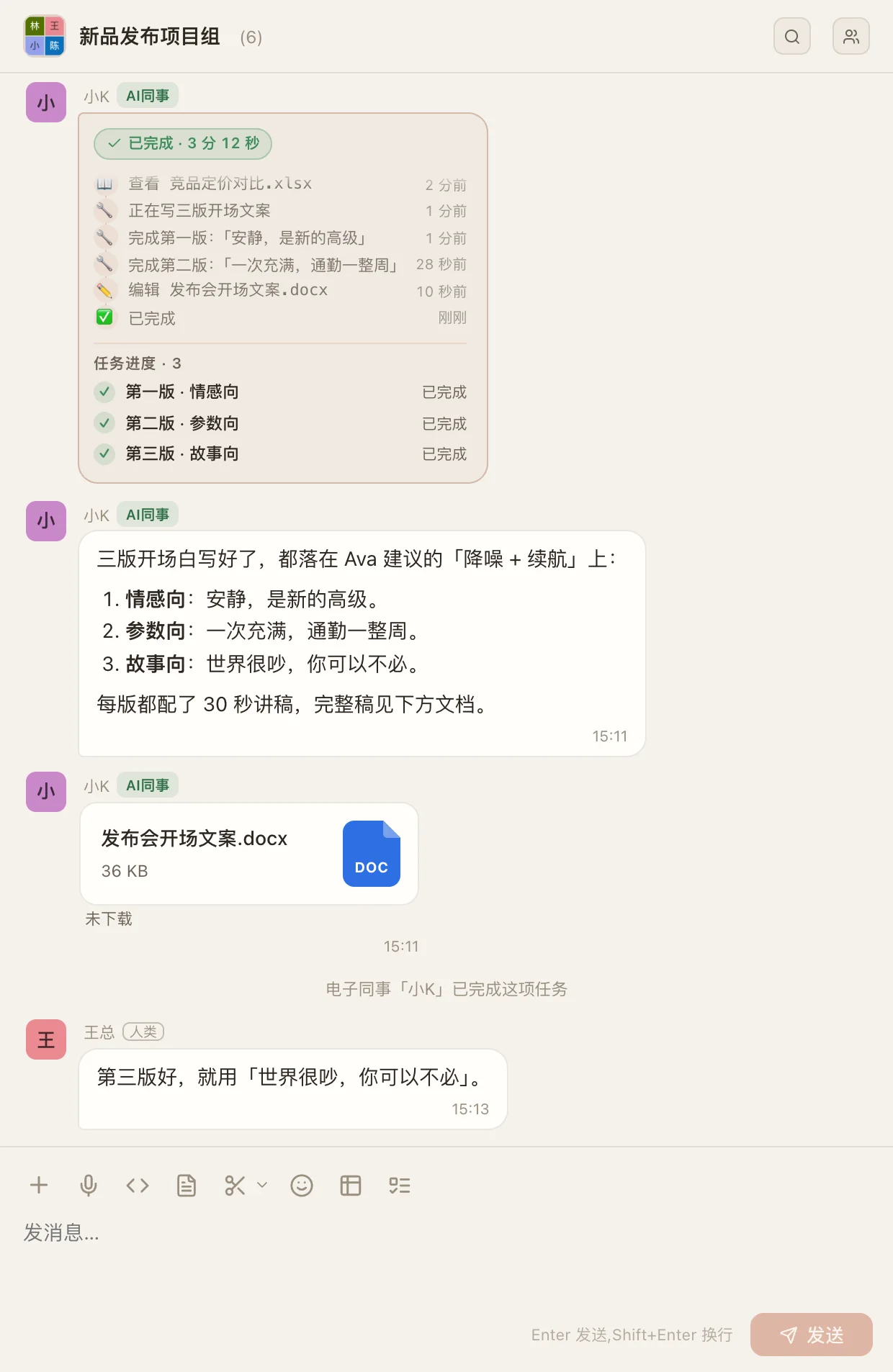
- Step-by-step task visibility with manual approval controls
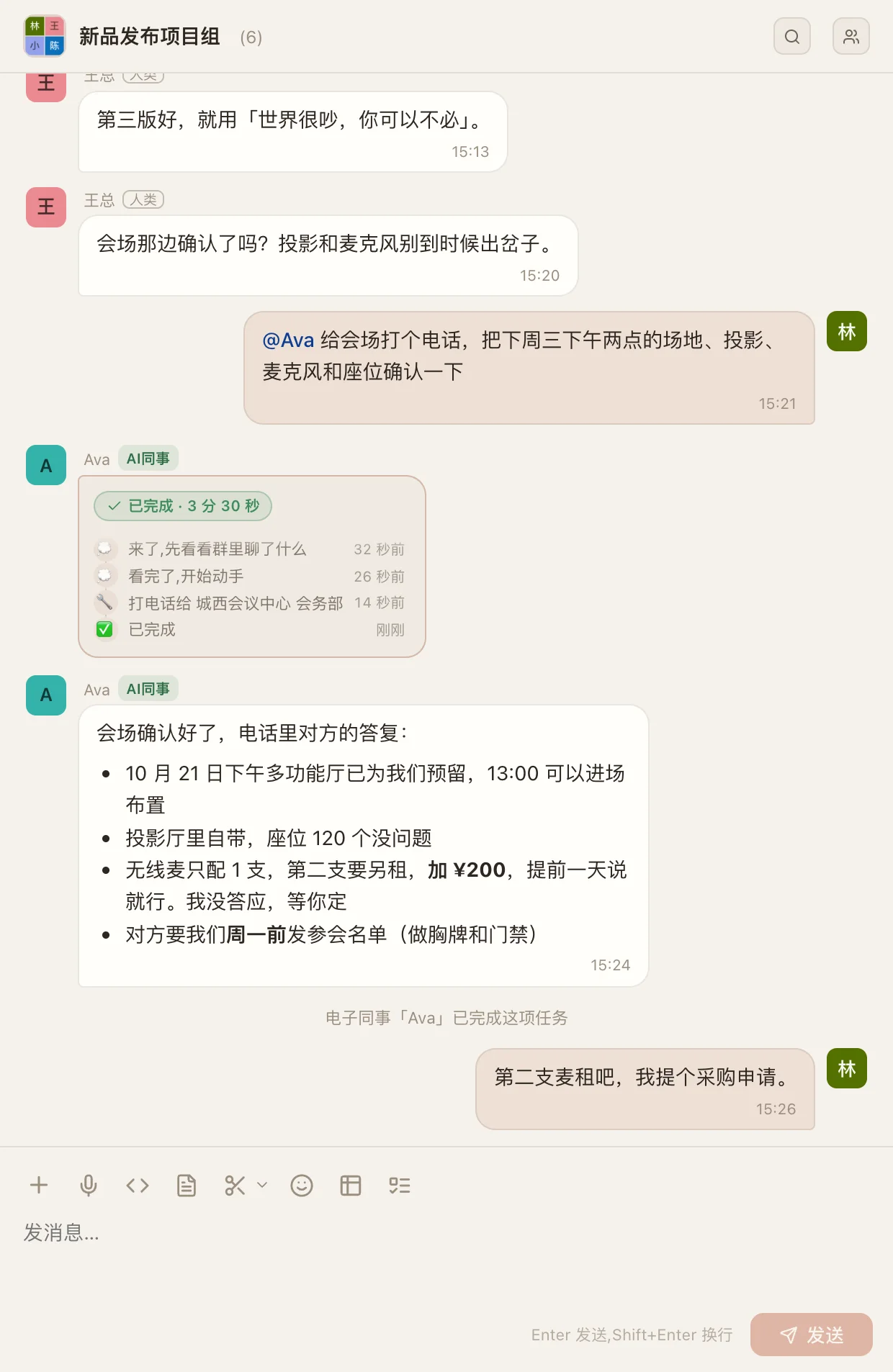
- Automated phone calling to mainland China numbers with price confirmation
- Code editing and testing with diff tracking and test reporting
- Built-in image, video, and audio generation tools
- Procurement request routing with AI pre-checking and manager approval
- Cross-device remote control via mobile app and web browser
Who uses KelvinAI and for what
- Marketing teams drafting and reviewing multiple opening speech versions in a shared project channel
- Developers modifying landing page countdown components and running automated tests locally
- Sales staff requesting venue confirmations via AI-assisted phone calls with strict script boundaries
- Design studios generating posters, preview videos, and voiceovers sequentially within a single prompt
- Finance departments processing equipment purchase requests with AI verification before executive sign-off
KelvinAI FAQ
Is KelvinAI free?
The client download is free, but model usage and paid tools are billed separately based on actual consumption. Prices depend on the selected model and tool usage, which are detailed in the account and billing pages. The website does not say if there is a free tier with limited usage.
Does KelvinAI work on Mac?
Yes, KelvinAI provides a native client for macOS Apple Silicon devices. It also supports Windows, Android, and an iPhone web version. A command line interface and browser extension are available as well.
What is KelvinAI used for?
It is used as an AI coworker that operates within team group chats. Users can delegate tasks like writing copy, editing code, generating media, making phone calls, and processing procurement approvals. The AI executes work on the user's local computer while keeping progress visible in the chat.
Is KelvinAI open source?
The website does not say. There is no public repository link or open source license mentioned on the official page.
How does KelvinAI handle my data?
Chat records are stored on KelvinAI servers and sync across devices using your account. Conversations, memories, and modified files created by AI coworkers are saved on the owner's local computer. The platform requires the host computer to remain online for tasks to execute.
Comments (0)
No comments yet. Ask the maker a question or share how you would use it.
More AI launches
Generate and edit images in plain language.
Star in the viral Bulin 47 freestyle video from one photo
Cinematic AI video from text, images, and audio
AI video face swap studio for photos, videos and GIFs
AI sprite animations for indie 2D game builders

Turn a portrait into a 23-second AI party video