Makify AI - AI Creative Platform
AI images and videos with GPT Image 2.5 and Seedance 2.5
AIFreemium#ai-image#photo-editor#ai-video
Launches Nov 11, 2026 at 00:00 UTC
What is Makify AI - AI Creative Platform?
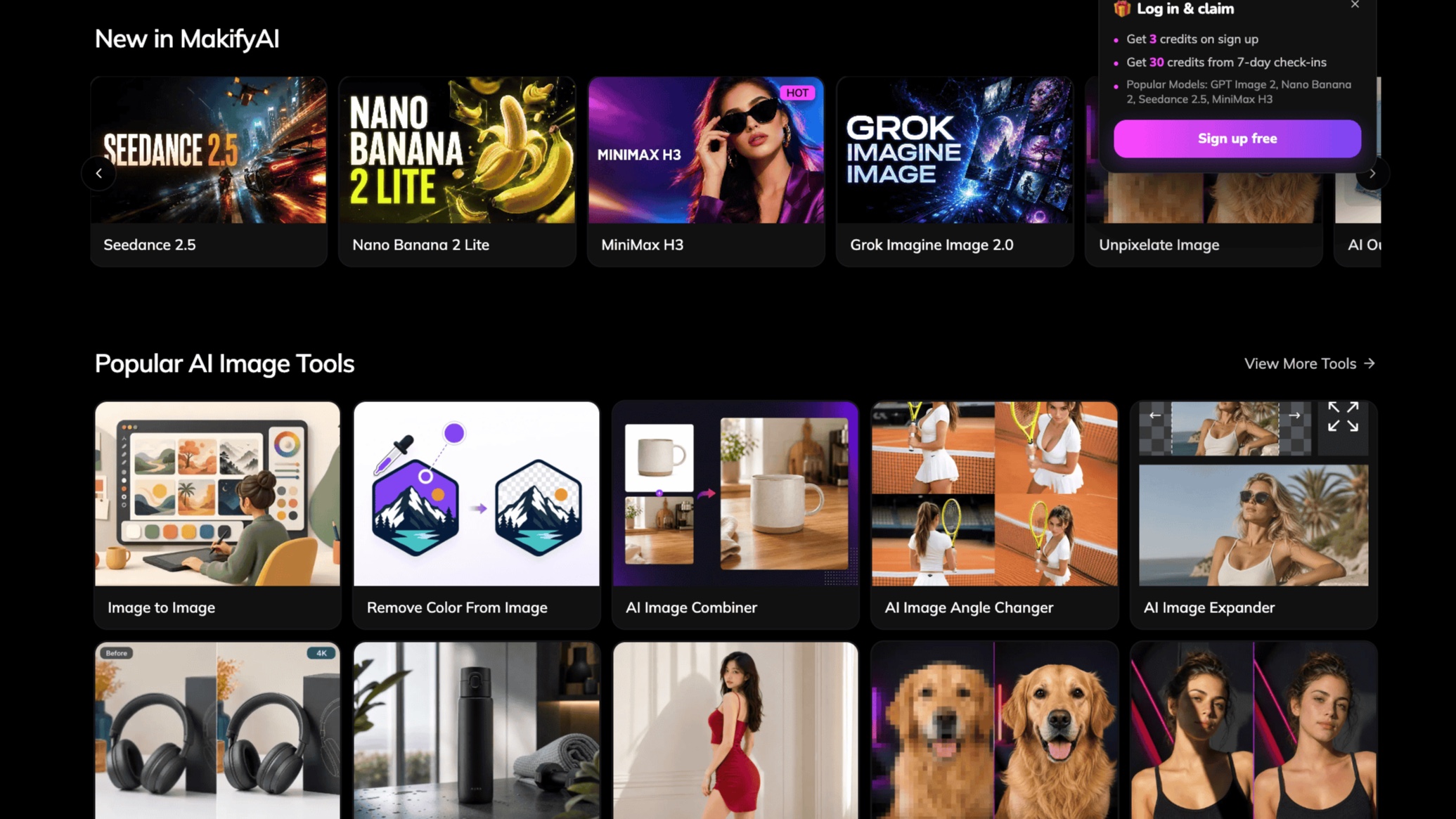
Makify AI (makifyai.com) is a multilingual creative platform for generating, editing, transforming, repairing, and animating visual content in one browser workspace. It is built for content creators, designers, e-commerce sellers, marketing teams, artists, product teams, and developers who need product visuals, campaign graphics, social assets, storyboards, and short videos without moving between separate tools. Image workflows include text-to-image, image-to-image editing, product photography, background removal and replacement, image expansion, combining images, changing camera angles, editing text in images, removing shadows, restoration, cleanup, and upscaling. Available image models include GPT Image 2.5, GPT Image 2, Nano Banana 2, Nano Banana 2 Lite, Seedream 5.0, FLUX 3 Image, Ideogram 4.0, Qwen Image 3, and Z-Image. Video workflows include text-to-video, image-to-video, frames-to-video, reference-to-video, and motion control with Seedance 2.5, Seedance 2.0, MiniMax H3, Wan 3.0, and FLUX 3 Video. Makify AI starts with free credits and offers paid credit packs and subscriptions for additional use.
Makify AI - AI Creative Platform features
- Multi-model image generation with GPT Image 2.5, FLUX 3, and Seedream 5.0
- Natural-language and reference-based image editing
- Image-to-image creation and controlled visual variations
- Edit text in images, remove shadows, restore photos, and upscale outputs
- Background removal, replacement, image expansion, and image combining
- Text-to-video and image-to-video with Seedance 2.5, MiniMax H3, and Wan 3.0
- Batch workflows and API access for production pipelines
Who uses Makify AI - AI Creative Platform and for what
- Create product photography and e-commerce scenes from prompts or reference images
- Produce social posts, campaign graphics, posters, and advertising concepts
- Edit existing photos without a complex desktop design workflow
- Generate storyboards and short video concepts from text or still images
- Explore visual directions with multiple image and video models in one workspace
Makify AI - AI Creative Platform FAQ
Does Makify AI offer a free option?
Yes. Makify AI starts with free credits. Paid credit packs and subscriptions are available for additional use; limits and costs vary by model and workflow.
Which image and video models are available?
Image options include GPT Image 2.5, GPT Image 2, Nano Banana 2, Seedream 5.0, FLUX 3 Image, Ideogram 4.0, Qwen Image 3, and Z-Image. Video options include Seedance 2.5, Seedance 2.0, MiniMax H3, Wan 3.0, and FLUX 3 Video.
Can I edit an existing image?
Yes. Image-to-image and natural-language editing workflows can refine reference images, replace backgrounds, expand a canvas, combine images, edit text, remove shadows, restore photos, and upscale outputs.
Can Makify AI generate videos?
Yes. Makify AI supports text-to-video, image-to-video, frames-to-video, reference-to-video, and motion-control workflows with several video models.
Who is Makify AI designed for?
Makify AI is designed for creators, designers, artists, e-commerce sellers, marketing teams, product teams, and developers creating visual assets and short videos.
Comments (0)
No comments yet. Ask the maker a question or share how you would use it.
More AI launches
Generate and edit images in plain language.
Star in the viral Bulin 47 freestyle video from one photo
Cinematic AI video from text, images, and audio
AI video face swap studio for photos, videos and GIFs
AI sprite animations for indie 2D game builders

Turn a portrait into a 23-second AI party video