DocPresenter
Turn PowerPoint and PDF decks into narrated AI presenter
ProductivityFreemium#ppt-to-video#ai-presenter#cloud-saas
Launches Dec 5, 2026 at 00:00 UTC
What is DocPresenter?
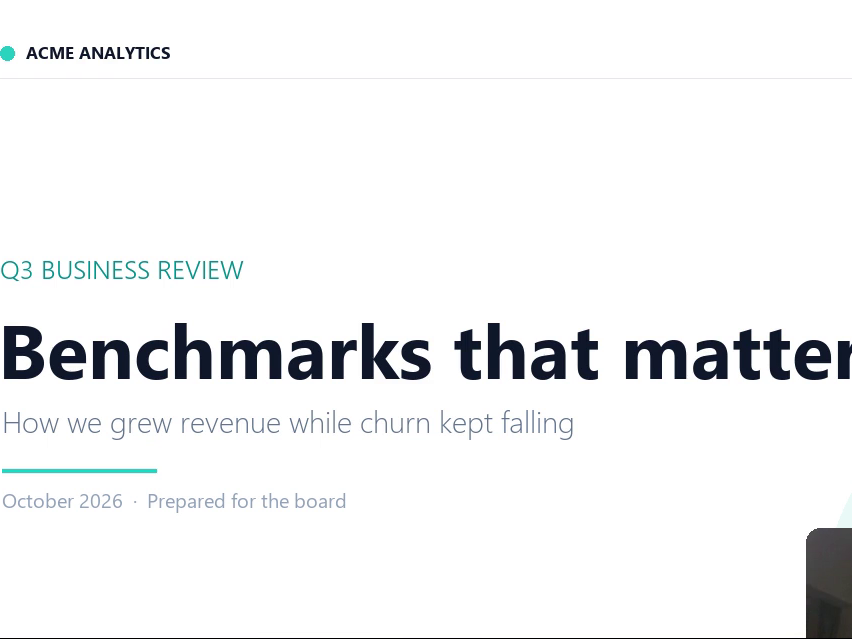
DocPresenter converts PowerPoint and PDF slide decks into narrated videos featuring an AI avatar presenter. Users upload a file, select a presenter and voice, and the cloud service generates a synchronized video with lip-synced narration. Each slide becomes a clip, and chapters are added so viewers can jump between sections.
The platform handles all rendering, text-to-speech, and encoding without requiring local software or a GPU. It supports up to 40 pages per deck, producing videos of up to 80 minutes in a single render. Users can choose from stock presenters and voices, or create a custom digital presenter using a short video clip and clone a voice from reference audio they own.
A free tier provides 60 credits upon email verification, which covers six pages at ten credits per rendered slide. Additional usage requires purchasing credit packs or subscribing monthly or yearly. For organizations that cannot send data to external servers, a self-hosted Docker delivery is available as a separate perpetual license.
DocPresenter features
- Converts PPTX and PDF files into narrated MP4 videos
- Generates AI presenter with lip-sync and chapter markers
- Supports custom face cloning and voice cloning on all plans
- Renders up to 40 slides and 80 minutes in a single pass
- Cloud-based processing with no local installation required
- Offers a self-hosted Docker option for strict data residency
Who uses DocPresenter and for what
- Creating corporate training and compliance onboarding videos
- Producing educational course content and lecture recordings
- Generating internal company announcements and updates
- Building product demonstration and sales pitch videos
DocPresenter FAQ
Is DocPresenter free to use?
Yes, signing up and verifying an email gives 60 free credits. Rendering costs 10 credits per page, so the free tier covers a six-page deck. After that, users can buy credit packs or subscribe monthly or yearly.
What file formats can I upload to DocPresenter?
The tool accepts PowerPoint files (.pptx, .ppt) and PDF documents. Files must be under 80MB and contain a maximum of 40 pages. Text-based slides convert most cleanly, while image-only slides require manual script entry.
Do I need a microphone or recording studio to use this?
No. All narration is synthesized by the platform. The system reads text from your slides to draft a script, which you can edit before rendering. No microphone, booth, or audio recording is required.
Does DocPresenter work on Mac or Windows?
DocPresenter is a fully managed cloud service accessed through a web browser. It does not require any desktop installation or specific operating system, though a self-hosted version is available for enterprise networks.
Is DocPresenter open source?
The website does not state that DocPresenter is open source. It operates as a closed-source cloud SaaS, though a self-hosted Docker deployment is offered separately for organizations needing on-premise control.
Comments (0)
No comments yet. Ask the maker a question or share how you would use it.
More Productivity launches
Infinite canvas OS for your apps, teammates and AI agents
Save every recipe. Plan every meal.
Fast, private voice dictation for Mac and Windows
Looks like a calculator. Opens like a vault.

Discover startups, launch products, and get noticed weekly
Free HEIC to JPG, PNG and PDF converter for iPhone photos