
Dravit
Browser-based BIM for building design and drawings
DesignFreemium#bim#architecture#3d-modeling
Launches Nov 24, 2026 at 00:00 UTC
What is Dravit?
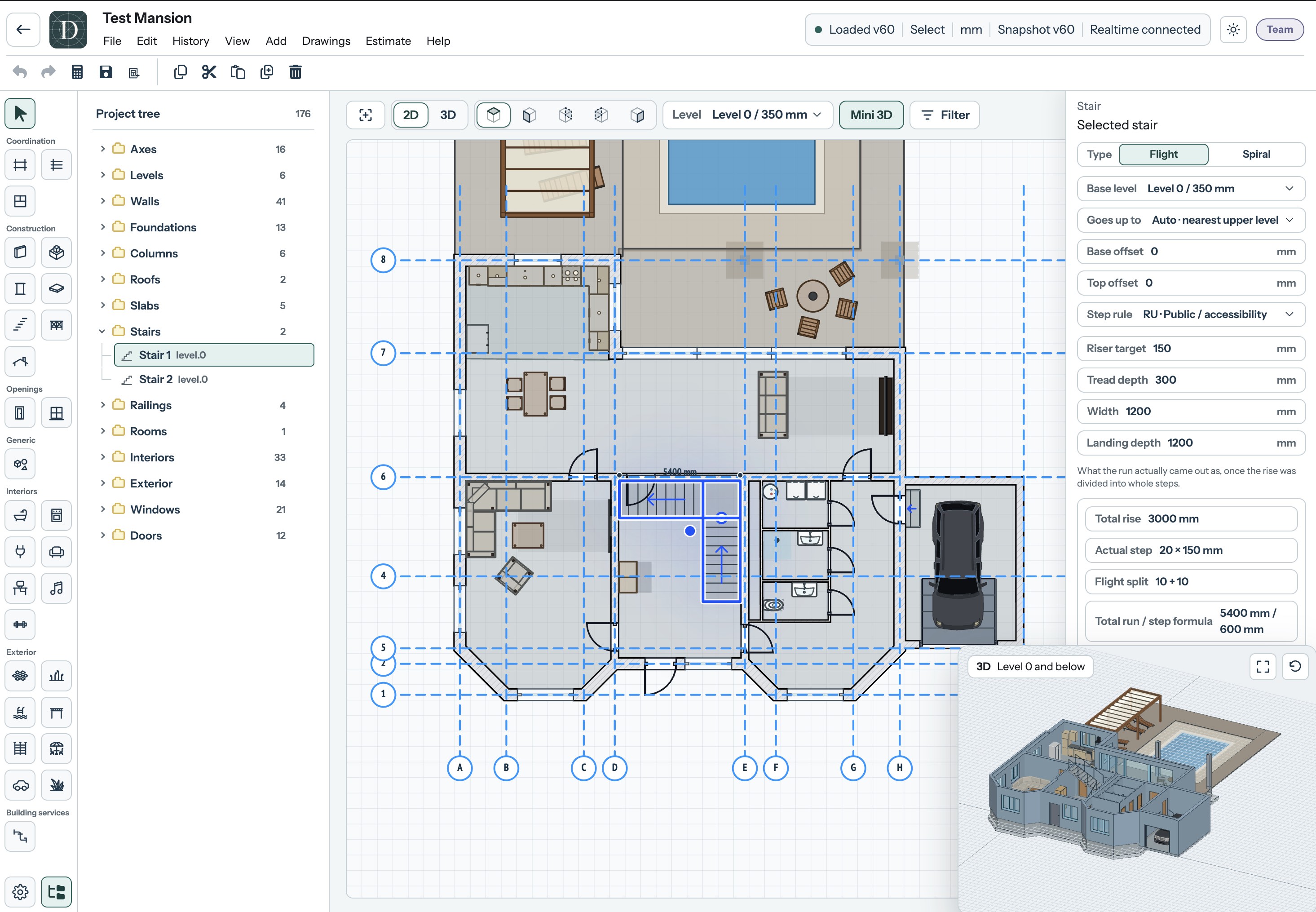
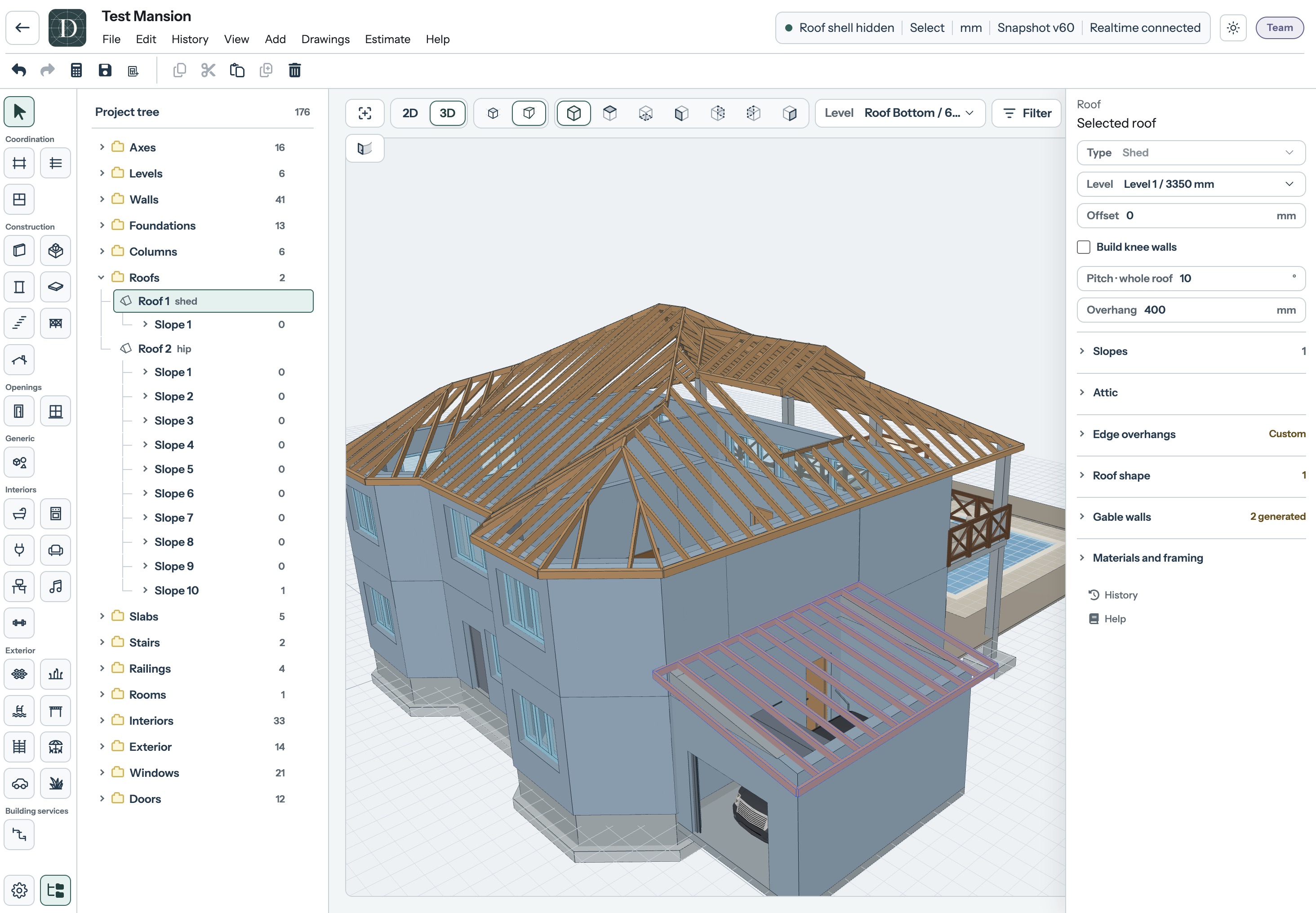
Dravit brings building modelling, drawings and cost estimates into a browser workspace. Users create floor plans and 3D models with walls, floors, roofs, stairs, doors and windows, then add interior and exterior objects.
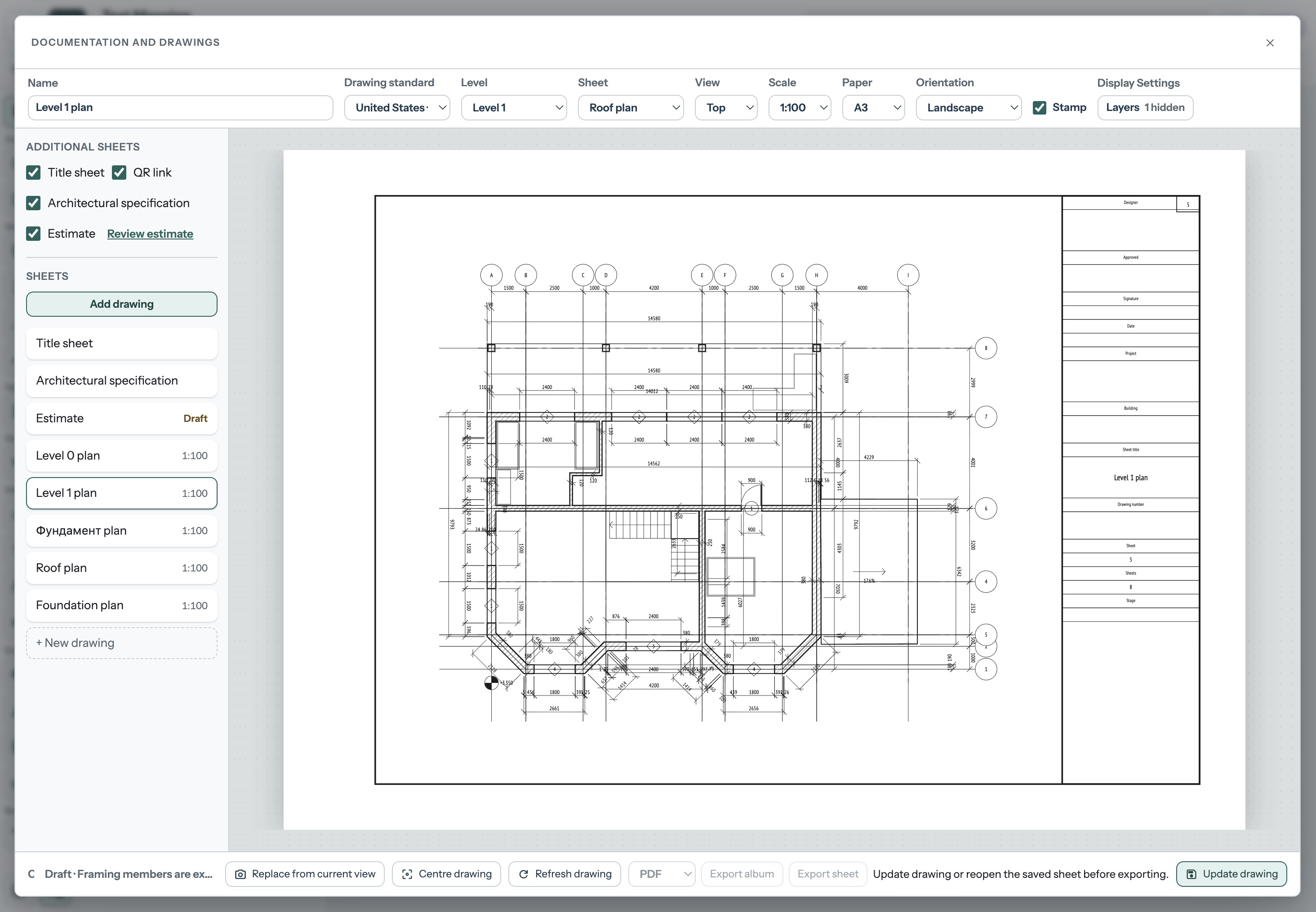
The same project can be used to prepare drawing sheets with dimensions and title blocks, exchange models through IFC import and export, and produce indicative estimates for a selected region. Estimates support early budgeting and are not contractor quotations.
Projects can be shared through public viewing links or edited with collaborators. The interface is available in English, German, French, Spanish and Russian. Online documentation covers modelling tools, drawings, model exchange and project management. Free, Pro and Team plans are available.
Free is $0 with 3 projects, up to 300 elements per project and 7 days of project access. Pro costs $15/month or $120/year. Team costs $39/month or $360/year and includes 5 teammates besides the owner.
Dravit features
- 2D floor plans and 3D building models
- Drawing sheets with dimensions and title blocks
- IFC import and export with regional cost estimates
Who uses Dravit and for what
- Develop a building layout and inspect it in 3D
- Prepare drawings and an indicative budget for a project
Dravit FAQ
Does Dravit run in a browser?
Yes. Dravit is a web application for building design in 2D and 3D.
Is there a free plan?
Free includes 3 projects with up to 300 elements each and 7 days of project access. Import, export and estimate calculations require a paid plan.
Can I exchange building models with other software?
Pro and Team support IFC import and export. Models can also be exported as GLB and glTF.
Comments (0)
No comments yet. Ask the maker a question or share how you would use it.
More Design launches
Client photo galleries, video feedback and print sales
GPT Image 2 online — photoreal AI images with sharp text
Free AI image editor you can try without signing up
Give your photos a look you love
App Store screenshots, designed as one panorama
AI thumbnail art direction for YouTube creators