
PageVeil
Share your screen, not your data.
ProductivityFreemium#browser-extension#privacy-and-security#productivity
Launches Dec 20, 2026 at 00:00 UTC



What is PageVeil?
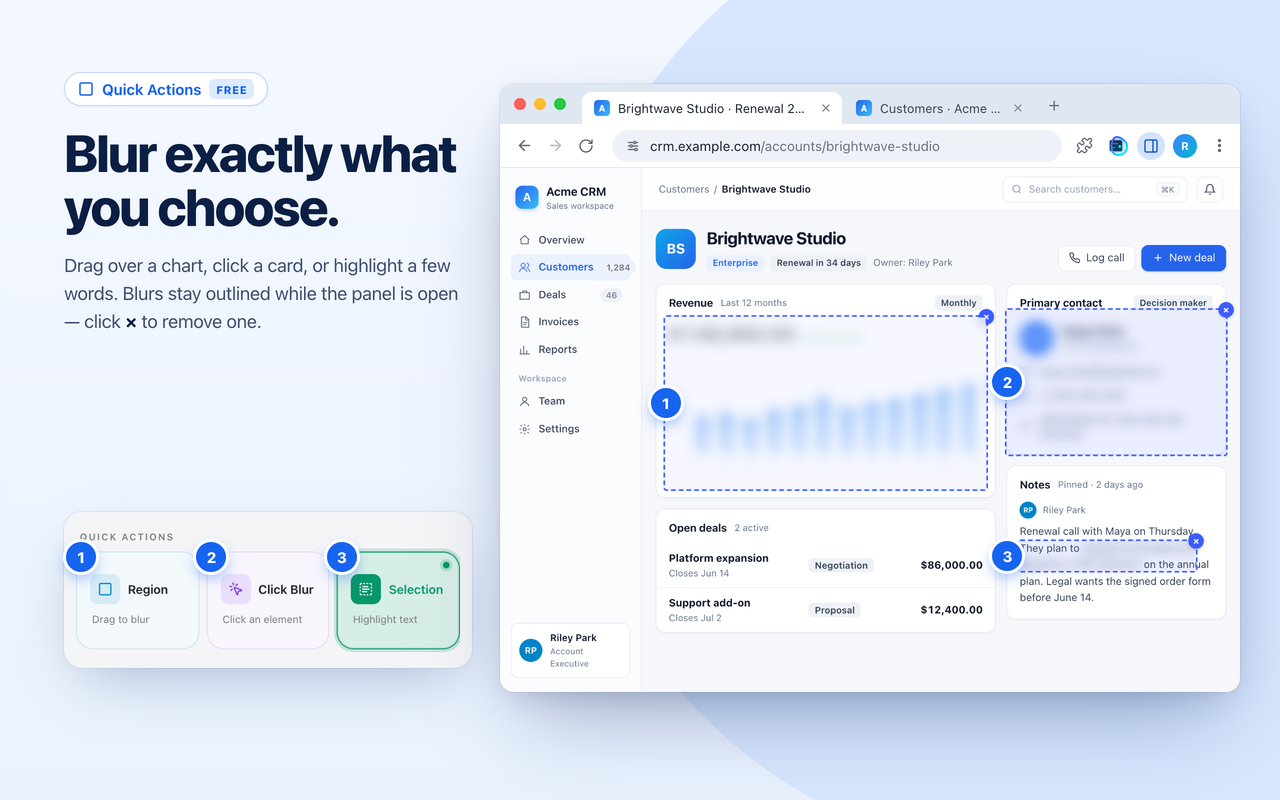
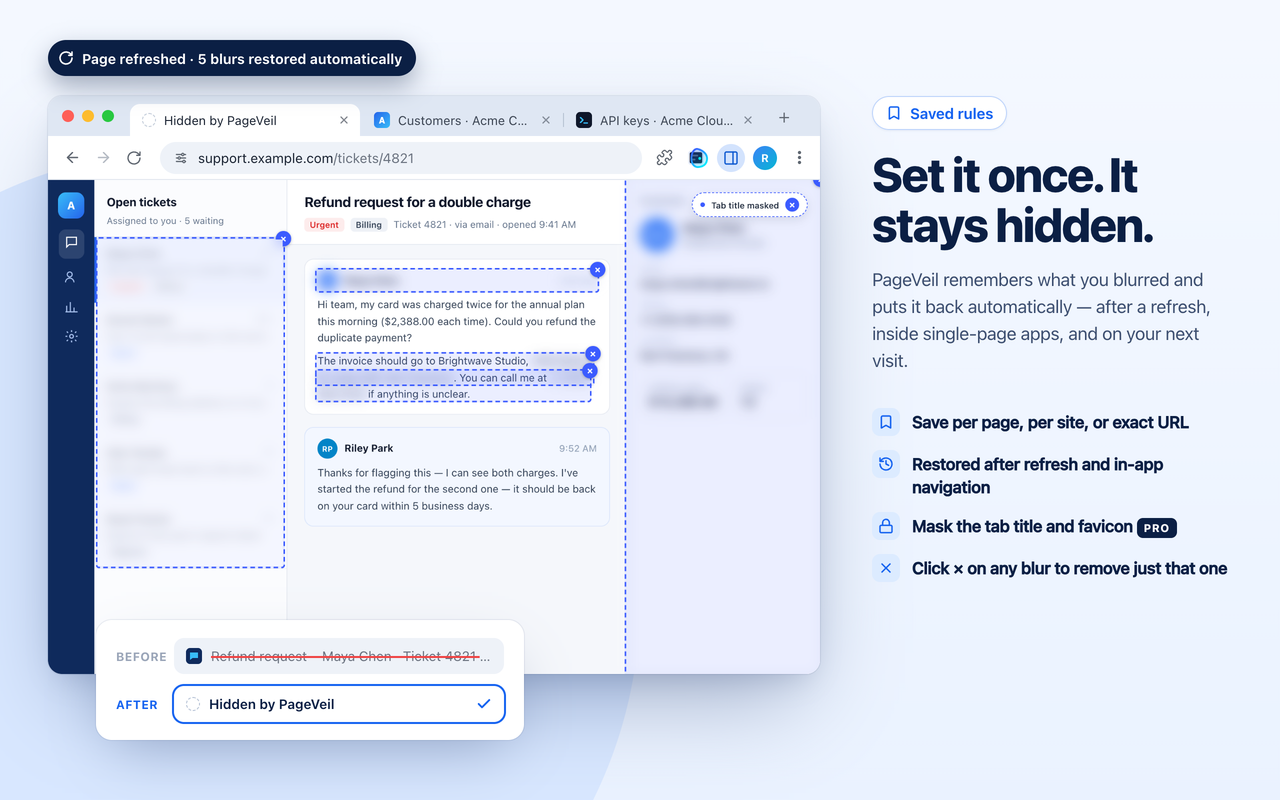
PageVeil is a Chrome, Edge, and Firefox extension that blurs, hides, or replaces sensitive data on live webpages before screen sharing, demos, recordings, and screenshots. Click an element, drag a region, or highlight exact words to cover them. Saved rules re-apply after refreshes and in-app navigation. Pro adds one-click Demo Mode, which detects 40+ types of sensitive data, plus realistic fake data and tab title masking. Detection and blurring run locally in your browser.
PageVeil features
- Click Blur, Region, or Selection to cover page elements, areas, or highlighted text.
- Saved rules re-apply after refreshes and in-app navigation.
- Pro Demo Mode detects 40+ types of sensitive data.
- Fake data swaps real emails, phone numbers, and amounts for realistic placeholders.
- Tab Title masking hides the page title and favicon.
- Detection and blurring run locally in the browser.
Who uses PageVeil and for what
- Teams and creators showing real webpages in demos, screen shares, recordings, or screenshots.
- Protecting sensitive data on SaaS dashboards, CRMs, admin panels, analytics, and support tools.
PageVeil FAQ
Is there a free plan?
The Free plan includes manual blur tools and saved rules for one website.
Which browsers does PageVeil support?
PageVeil supports Chrome, Edge, and Firefox.
Does PageVeil upload page content or screenshots?
Page content, screenshots, and keystrokes are never uploaded. Detection and blurring run locally in your browser, and saved rules stay on your device.
Comments (0)
No comments yet. Ask the maker a question or share how you would use it.
More Productivity launches
Infinite canvas OS for your apps, teammates and AI agents
Save every recipe. Plan every meal.
Fast, private voice dictation for Mac and Windows
Looks like a calculator. Opens like a vault.

Discover startups, launch products, and get noticed weekly
Free HEIC to JPG, PNG and PDF converter for iPhone photos