Shift Calendar Alarm
Shift calendar that sets your iPhone alarms for you
ProductivityFreemium#calendar#alarm-clock#shift-work
Launches Oct 22, 2026 at 00:00 UTC
What is Shift Calendar Alarm?
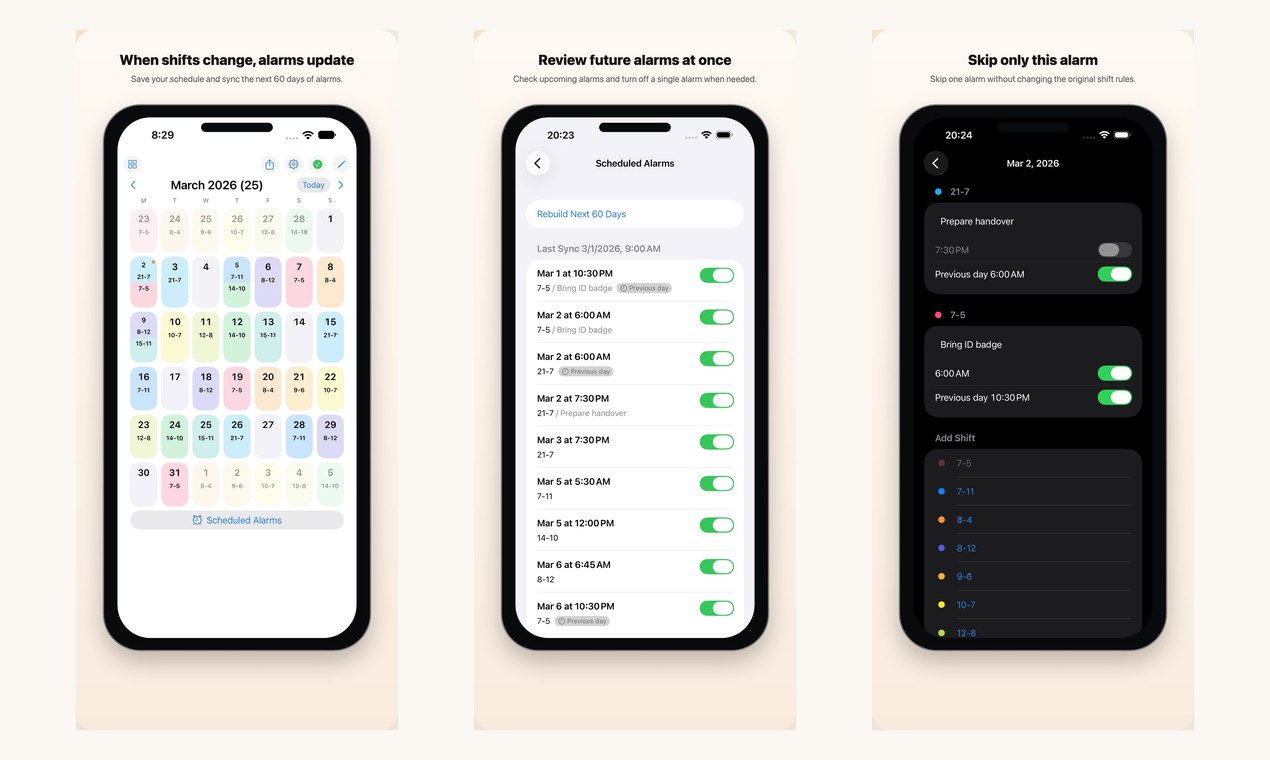
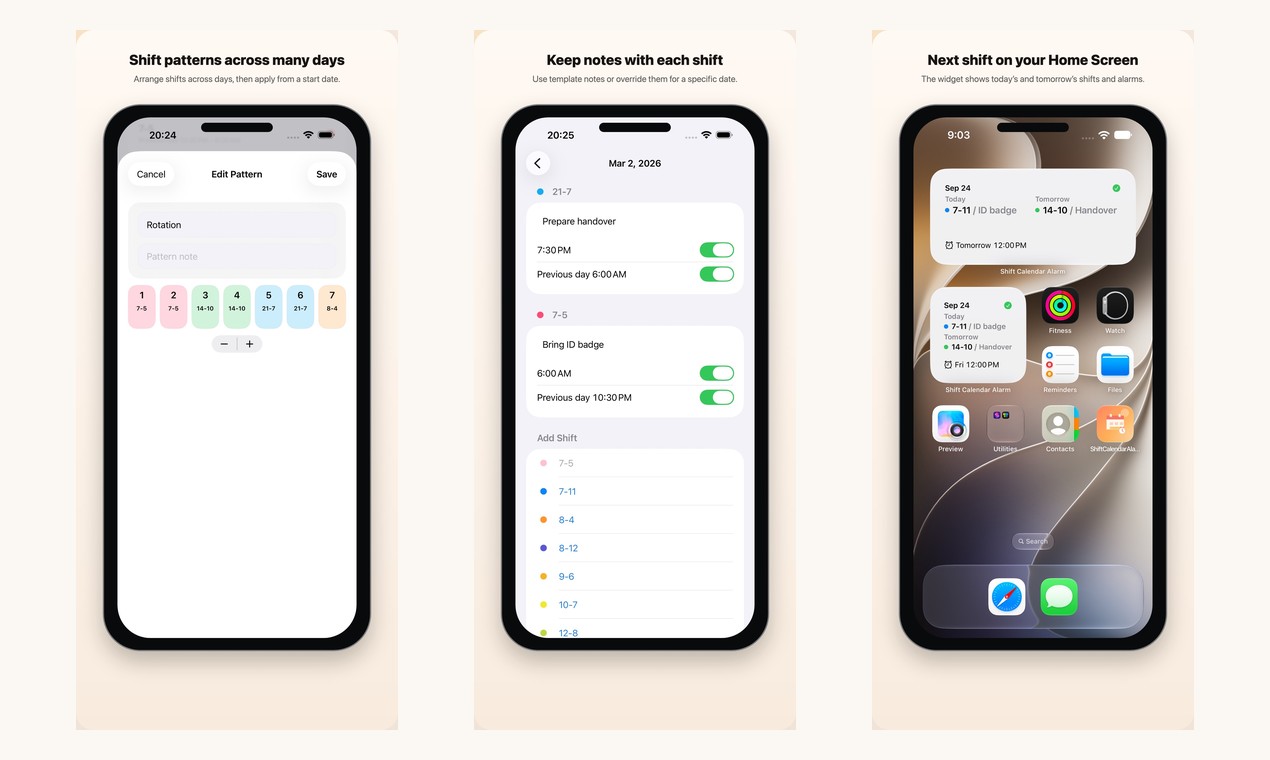
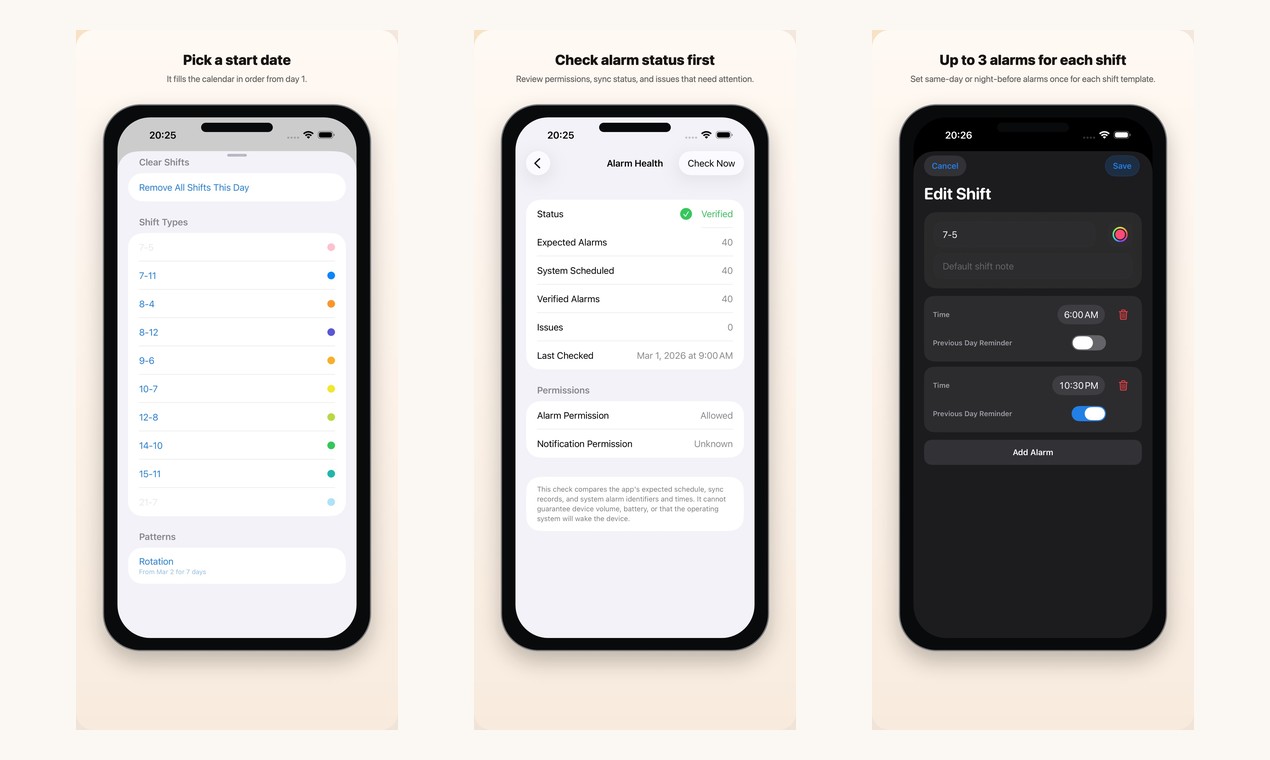
When your shifts move every week, you end up resetting alarms again and again. Shift Calendar Alarm puts your schedule and alarms in one place. Save the shifts you work most, like early, late, night or on-call, each with up to three alarms on the day or the evening before. Tap dates on the calendar to schedule them, and the app sets the built-in iPhone alarms for the next 60 days. When the roster changes, edit the calendar and the alarms update too.
You can skip a single alarm, add a note to any day, and use Patterns to drop a repeating run of shifts onto the calendar in one go. A Home Screen widget shows today's and tomorrow's shifts.
Free to download: the free version includes 3 Shift Types, 1 pattern and 8 scheduled shifts, and Premium removes those limits. Requires iOS 26 or later. Available in 9 languages.
App Store: https://apps.apple.com/app/id6760447926
Shift Calendar Alarm features
- Tap dates on the calendar to add shifts, with more than one shift per day
- Up to 3 alarms per Shift Type, on the day or the evening before
- Syncs the built-in iPhone alarms for the next 60 days
- Skip a single alarm without changing the shift
- Patterns: place a repeating run of shifts at once
- Home Screen widget with today's and tomorrow's shifts
Who uses Shift Calendar Alarm and for what
- Nurses and hospital staff whose wake-up time follows a rotating roster
- Airport, transport, security and factory shift workers who need alarms that follow their schedule
Shift Calendar Alarm FAQ
Is there a free plan?
Yes. It is free to download; the free version includes 3 Shift Types, 1 pattern and 8 scheduled shifts. Premium removes those limits.
Which devices does it support?
iPhone running iOS 26 or later.
Does it update my alarms when my shifts change?
Yes. Edit the calendar and the iPhone alarms for the next 60 days update automatically.
Comments (0)
No comments yet. Ask the maker a question or share how you would use it.
More Productivity launches
Fast, private voice dictation for Mac and Windows

Discover startups, launch products, and get noticed weekly
Auto-sync dual-system audio to cameras via XML
Free music discovery and in-browser audio tools.
Digital guest services and hotel operations platform
Shrink videos to a target size online, no watermark