
TuneImage
Restyle outfits, recolor photos, or turn couples into anime
DesignFreemium#photo-editing#ai-image-editor#outfit-changer
Launches Dec 8, 2026 at 00:00 UTC
What is TuneImage?
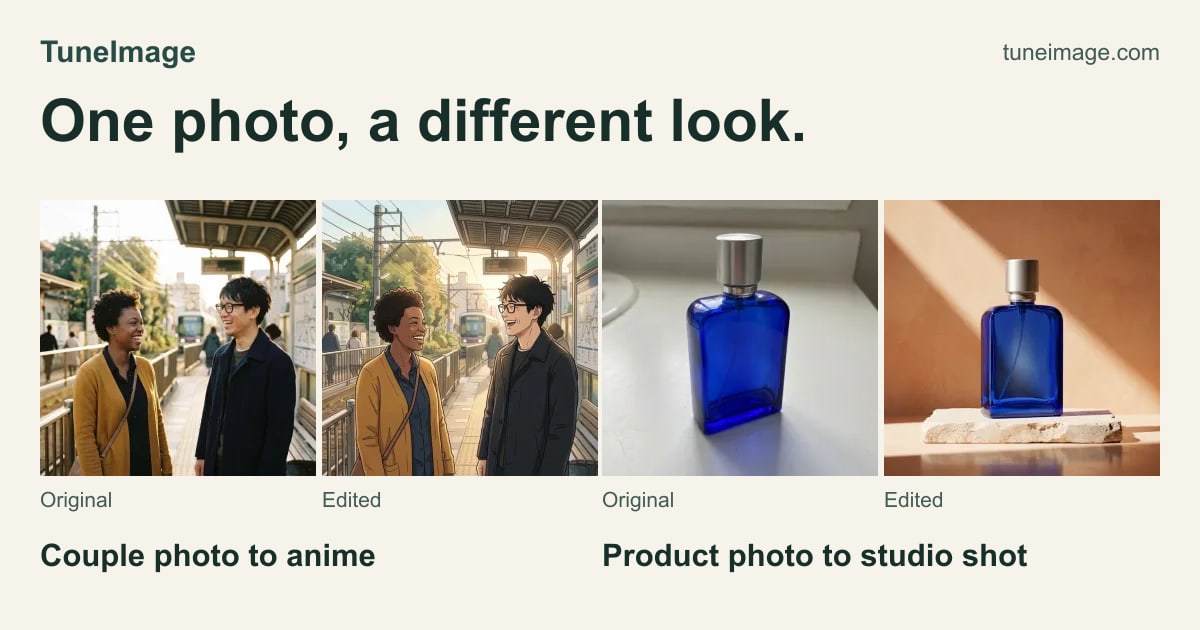
Upload one photo and describe an edit to restyle an outfit, recolor a detail, or turn a couple photo into anime. TuneImage shows 10 real before-and-after examples with public original prompts, plus an Optimize prompt button to refine your wording before you run an edit. It works in your browser and returns one downloadable 1K PNG per successful edit. Results vary, so review faces, hair, clothing edges and colors. Try one guest edit while daily spots last. Sign in with Google or an email code for up to four free edits in total, including any guest edit. One-time PayPal packs start at $6.99 for 60 credits; there is no subscription.
TuneImage features
- Restyle an outfit from a text prompt
- Recolor a detail in your photo
- Turn a couple photo into anime
Who uses TuneImage and for what
- Creators trying a new outfit on a personal photo
- Turning a couple photo into an anime-style picture
TuneImage FAQ
Is TuneImage free?
You can try one guest edit while daily spots last, and sign in with Google or an email code for up to four free edits in total, including any guest edit.
Does TuneImage need a subscription?
No. One-time PayPal packs start at $6.99 for 60 credits; there is no subscription.
What does one edit return?
Each successful edit returns one downloadable 1K PNG.
Comments (0)
No comments yet. Ask the maker a question or share how you would use it.
More Design launches
Client photo galleries, video feedback and print sales
GPT Image 2 online — photoreal AI images with sharp text
Free AI image editor you can try without signing up
Give your photos a look you love
App Store screenshots, designed as one panorama
AI thumbnail art direction for YouTube creators