
UseFreeTools
Free PDF, image, video & audio tools in your browser
ProductivityFree#utilities#pdf-tools#browser-app
Launches Oct 21, 2026 at 00:00 UTC


What is UseFreeTools?
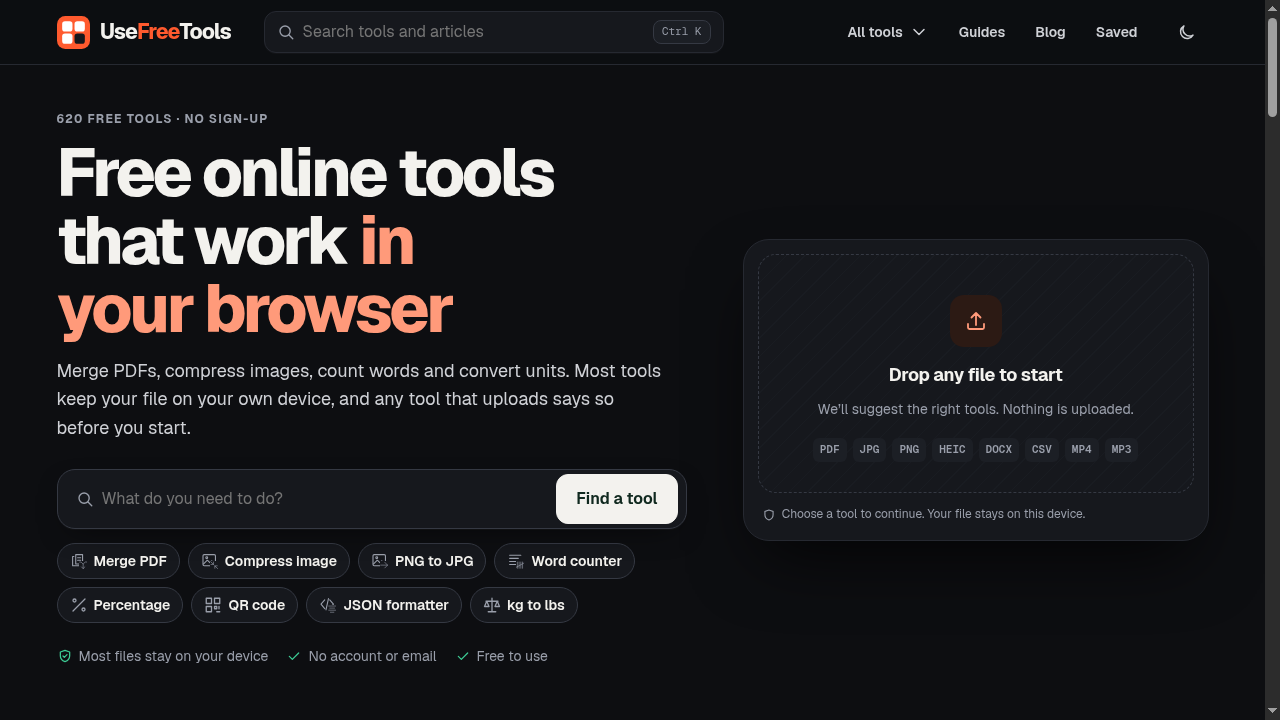
UseFreeTools packs 600+ free tools that run entirely in your browser. Merge, split and compress PDFs, resize and convert images between JPG, PNG, WebP and HEIC, trim video and convert audio, plus developer utilities, format converters and everyday calculators. No account, no watermarks, and most tools process files locally on your device.
UseFreeTools features
- Over 620 free online utilities across multiple categories
- Most tools run locally in your browser without uploading files
- No account creation or email address required to start
- Keyboard shortcuts and arrow key navigation for quick access
- Recently used and saved tool lists for faster workflows
- Categorized search with filters for PDF, image, text, and developer tools
Who uses UseFreeTools and for what
- Combine multiple PDF documents into a single file before sending
- Compress JPEG and PNG images to reduce file size for web uploads
- Convert CSV files to JSON format for API integration testing
- Calculate loan payments, compound interest, or sales tax quickly
- Generate secure passwords, QR codes, or random numbers for projects
- Compare two text documents to track edits and formatting changes
UseFreeTools FAQ
Is UseFreeTools free?
Yes, the website states that all tools are free to use and require no sign-up.
Does UseFreeTools require an account?
No, the website explicitly mentions that no account or email is needed to use the tools.
Are my files uploaded to a server?
The website states that most tools process input directly in your browser and keep files on your device. It notes that any tool requiring an upload will inform you before starting.
What categories of tools are available?
The site lists over 620 tools organized into categories including PDF, Image, Text and Writing, Video and Audio, Data and Spreadsheets, Developer, Unit Converters, Math and Statistics, Finance, Date and Time, Health and Fitness, Web SEO and Marketing, Security and Privacy, and Generators and Random.
Can I use keyboard shortcuts on UseFreeTools?
Yes, the website supports arrow keys for browsing results, Left and Right to choose Open or Save, Enter to activate, and Ctrl plus Enter to save a tool.
Comments (0)
No comments yet. Ask the maker a question or share how you would use it.
More Productivity launches
Fast, private voice dictation for Mac and Windows

Discover startups, launch products, and get noticed weekly
Auto-sync dual-system audio to cameras via XML
Free music discovery and in-browser audio tools.
Digital guest services and hotel operations platform
Shrink videos to a target size online, no watermark