
ChatSequel
Timed auto-continue and per-tab controls for ChatGPT
ProductivityFree#chatgpt#productivity#chrome-extension
Launches Jan 15, 2027 at 00:00 UTC
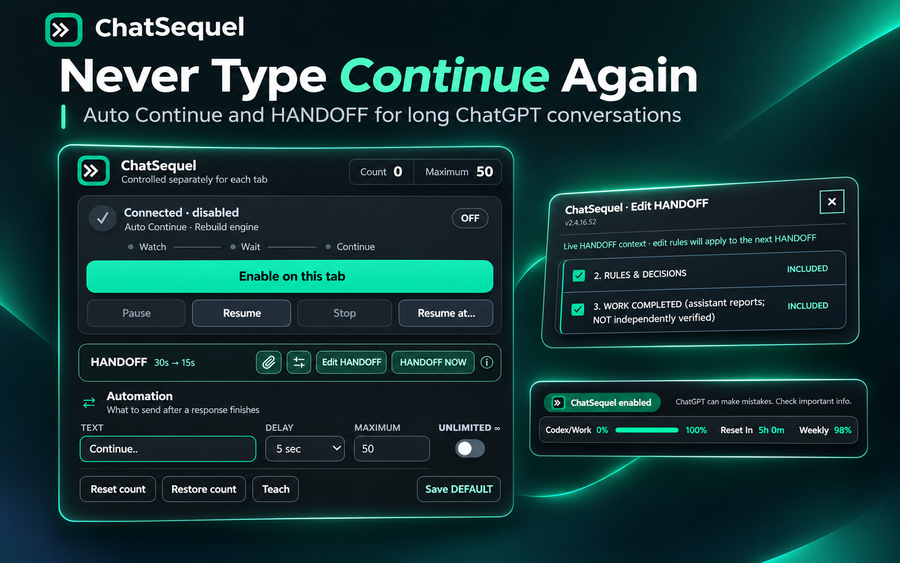
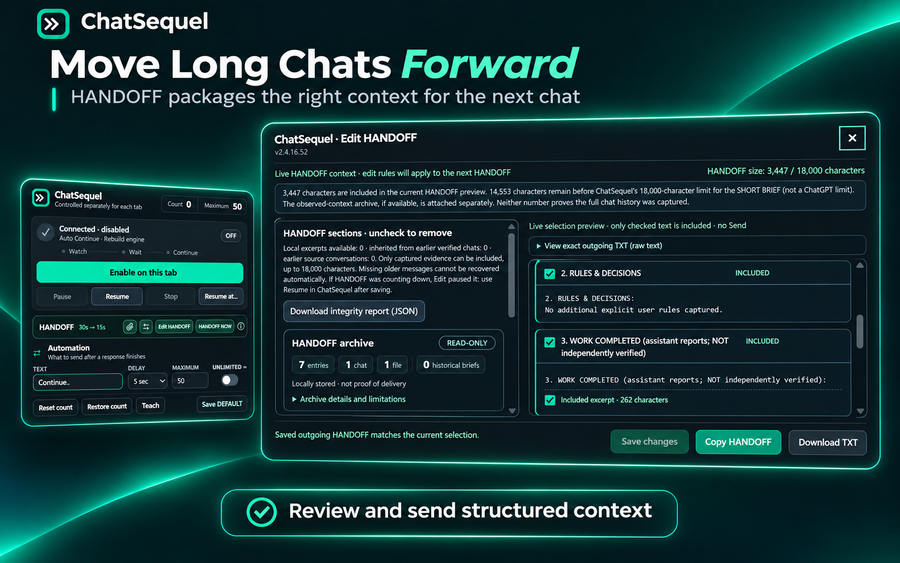
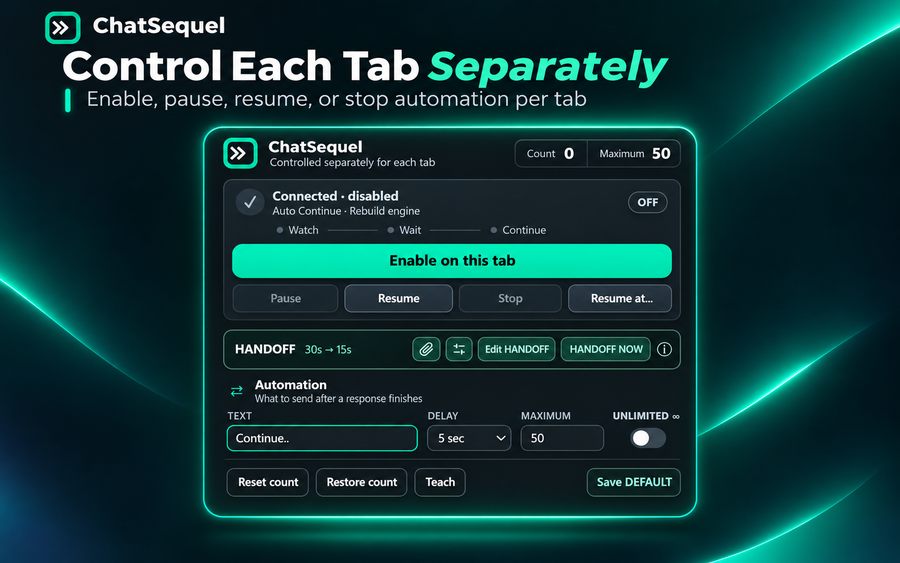
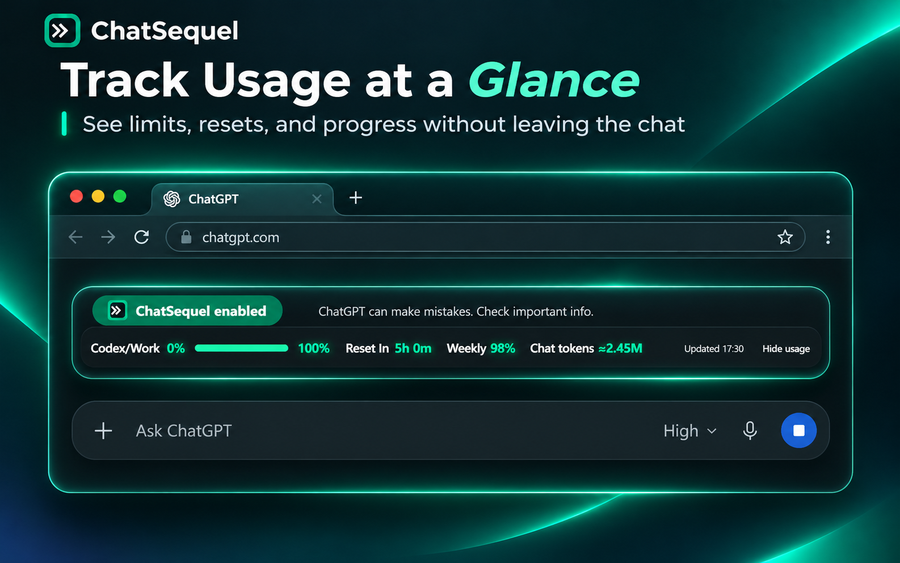
What is ChatSequel?
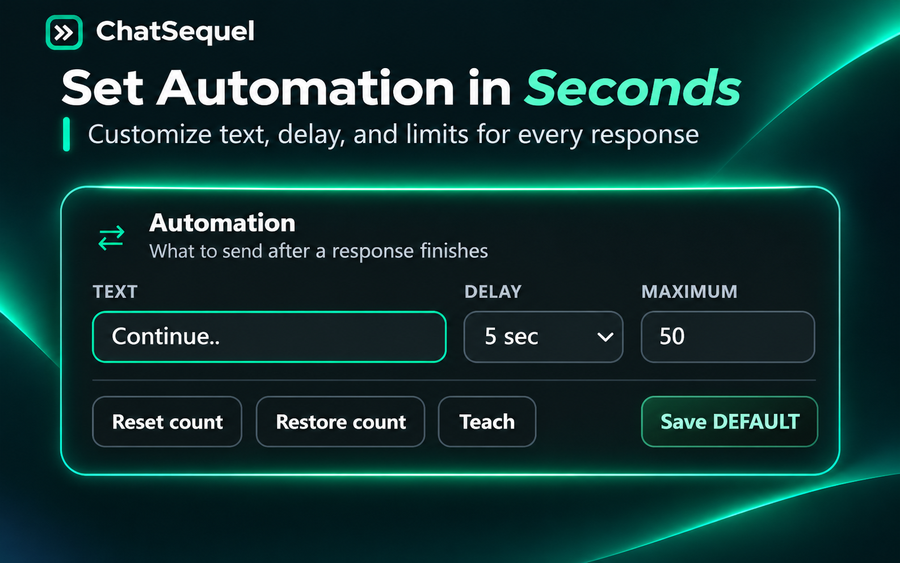
ChatSequel is a Chrome browser extension by Prax9 that helps manage lengthy ChatGPT conversations. Set a configurable delay before an automatic continuation, then pause, resume, or stop the behavior separately in each browser tab. A visible countdown shows the next continuation, and a counter plus optional maximum helps manage repeated follow-ups. When a conversation becomes lengthy, context handoff helps carry a working brief into a new chat. ChatSequel is an independent extension by Prax9 and is not affiliated with or endorsed by OpenAI.
ChatSequel features
- Configurable delayed auto-continue for ChatGPT conversations
- Independent per-tab pause, resume, and stop controls
- Countdown, continuation counter and optional maximum
Who uses ChatSequel and for what
- Managing lengthy ChatGPT threads without repeatedly typing continue
- Keeping separate continuation settings while working across browser tabs
ChatSequel FAQ
Is ChatSequel free to use?
Yes. ChatSequel is currently free to install and use from the Chrome Web Store.
Can I pause automatic continuation in one tab?
Yes. Pause, resume, and stop controls work independently for each browser tab.
Is ChatSequel affiliated with OpenAI?
No. ChatSequel is an independent browser extension developed by Prax9.
Comments (0)
No comments yet. Ask the maker a question or share how you would use it.
More Productivity launches
Infinite canvas OS for your apps, teammates and AI agents
Save every recipe. Plan every meal.
Fast, private voice dictation for Mac and Windows
Cloud HR platform for Saudi businesses
Looks like a calculator. Opens like a vault.
Free HEIC to JPG, PNG and PDF converter for iPhone photos