
LocArk
Offline notes and password records in your own workspace
ProductivityFreemium#notes#privacy#macos
Launches Feb 1, 2027 at 00:00 UTC
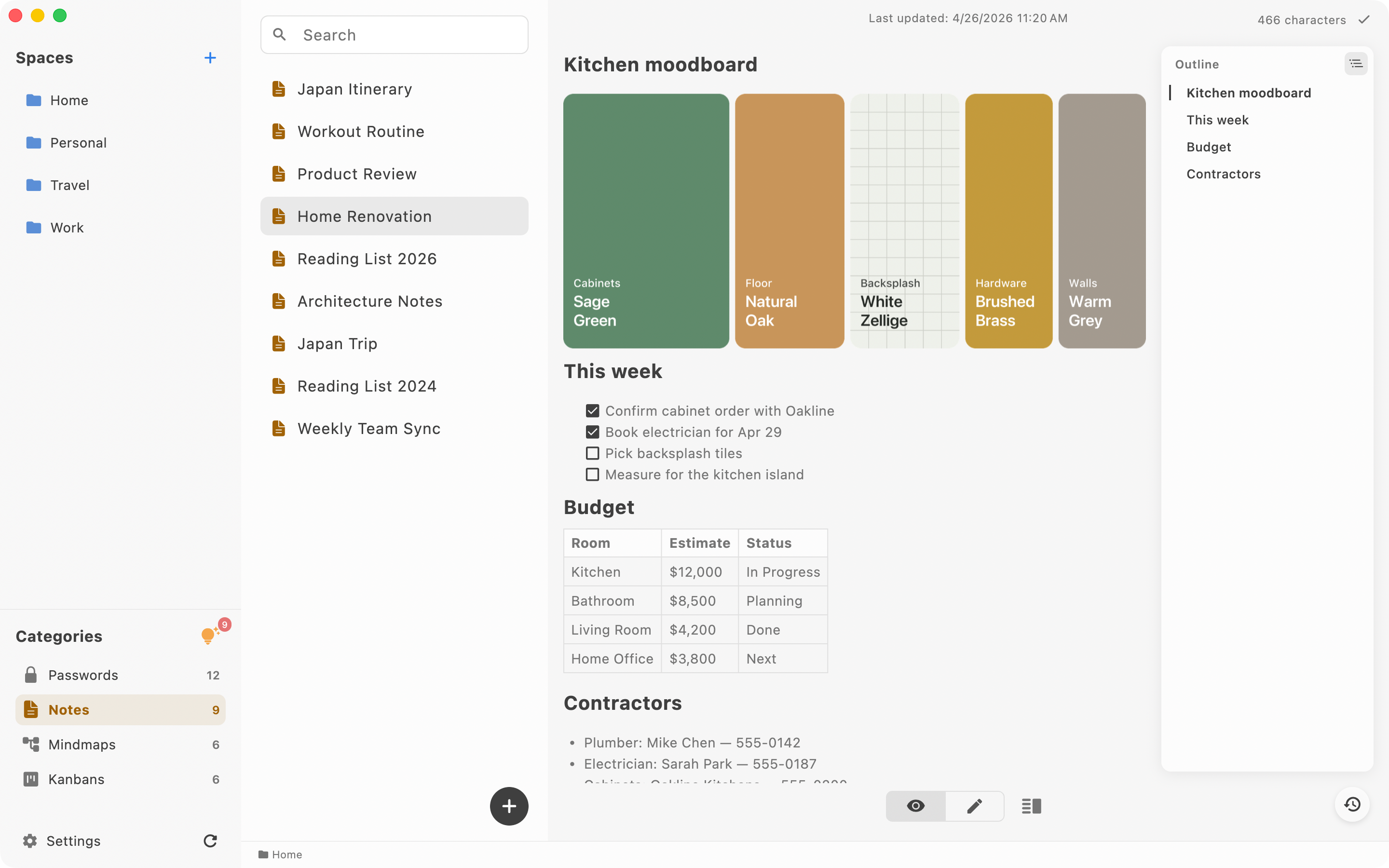
What is LocArk?
Submitted on behalf of SELFARK LTD. LocArk combines personal Markdown notes, password records, kanban boards, mind maps and quick Inbox capture in a workspace stored in a location you choose. Core work stays offline; new workspaces are locally encrypted and protected by a master password. Available on macOS 12+, Windows, iPhone, iPad and Android, including Intel and native Apple silicon Macs.
Notes, password records and Inbox are free. Creating boards and mind maps requires optional annual or lifetime Pro. LocArk does not provide hosted cloud sync or team collaboration.
LocArk features
- Organize Markdown notes, password records and Inbox capture in one personal workspace
- Work offline with locally encrypted new workspaces
- Create personal kanban boards and mind maps with optional Pro
Who uses LocArk and for what
- Keep personal notes and password records in a workspace folder you control
- Plan personal projects with kanban boards and mind maps
LocArk FAQ
Is LocArk free to use?
Notes, password records and Inbox are free. Creating kanban boards and mind maps requires optional Pro, available annually or as a lifetime purchase.
Which platforms does LocArk support?
macOS 12 or later on Intel and native Apple silicon, Windows, iPhone, iPad and Android. Download from the official stores linked on locark.com.
Does LocArk include hosted cloud sync?
No. The workspace is stored in a folder you choose and core work is offline. You may use a third-party sync folder; that service has its own network and privacy requirements.
Comments (0)
No comments yet. Ask the maker a question or share how you would use it.
More Productivity launches
Infinite canvas OS for your apps, teammates and AI agents
Save every recipe. Plan every meal.
Fast, private voice dictation for Mac and Windows
Cloud HR platform for Saudi businesses
Looks like a calculator. Opens like a vault.
Free HEIC to JPG, PNG and PDF converter for iPhone photos