MergePNG
Merge PNG, JPG, and WebP images locally in your browser
DesignFree#image-merger#browser-tool#privacy-focused
Launches Feb 7, 2027 at 00:00 UTC

What is MergePNG?
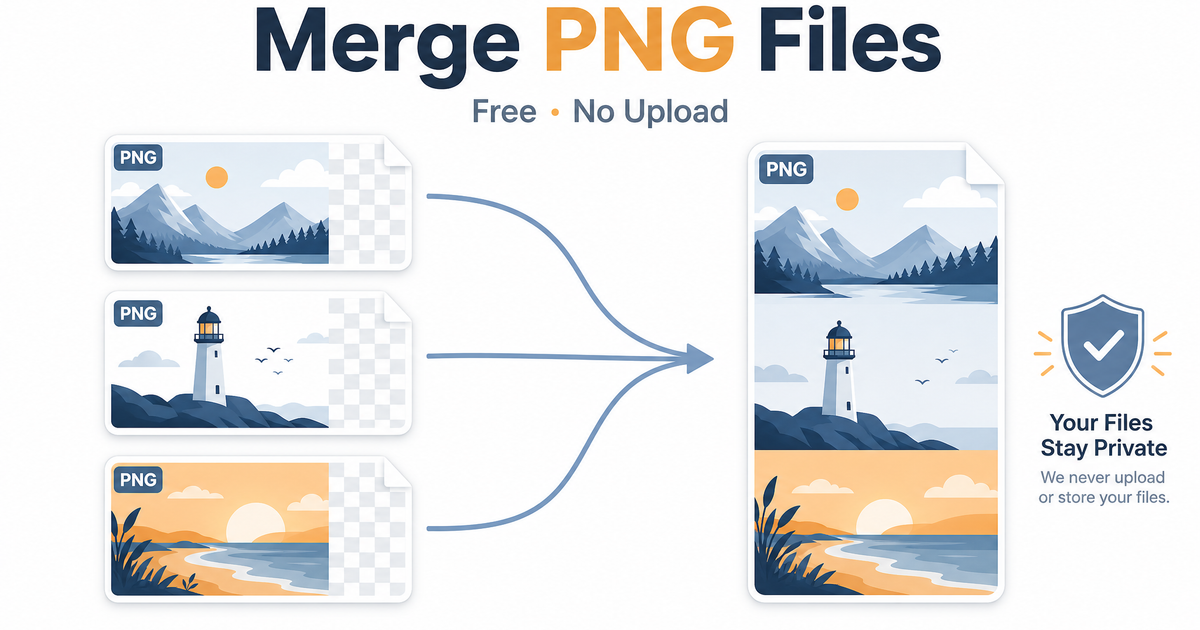
MergePNG combines PNG, JPG, and WebP images into a single file or PDF directly in your web browser. The tool processes everything locally using the Canvas API, so your files never leave your device. You can drag images into any order, choose from layout presets like vertical stacks, side-by-side strips, or multi-column grids, and download the result immediately.
The interface includes options for adjusting gaps, outer margins, alignment, and scaling. You can add colored borders with rounded corners, rotate or flip individual files, and remove exact duplicates flagged by content hashing. Transparency is preserved when exporting as PNG or WebP.
There are no accounts, watermarks, or file limits. The only constraint is your device memory, which browsers cap at roughly 16.7 million pixels per canvas on mobile. The tool automatically scales down large merges and notifies you instead of failing. All operations work offline after the initial page load.
MergePNG features
- Combines PNG, JPG, and WebP images into one file or PDF
- Processes all images locally in the browser without uploading
- Preserves PNG alpha transparency during export
- Offers stack, grid, and compound layout templates
- Adds customizable borders and rounded corners to frames
- Detects and flags exact duplicate files before merging
- Works completely offline after the page loads
Who uses MergePNG and for what
- Create photo collages with custom spacing and borders
- Combine screenshots into a single vertical document
- Prepare transparent logos and graphics for web projects
- Generate a multi-page PDF from a folder of images
- Clean up duplicate files before assembling a final composite
MergePNG FAQ
Is MergePNG free to use?
Yes. The tool is completely free with no watermarks, no sign-up required, and no file count limits. The only restriction is your device memory, as browsers cap how many pixels a single canvas can hold.
Does MergePNG upload my images to a server?
No. Decoding, compositing, and encoding all happen locally in your browser using the Canvas API. You can verify this by disconnecting from the internet after loading the page; the tool continues to work end to end.
Can I merge PNG and JPG files together?
Yes. You can mix PNG, JPG, and WebP files in the same merge job. Pick your desired output format when downloading. Note that JPG files do not support transparency, so their backgrounds will remain solid.
How many images can I merge at once?
There is no fixed limit on the number of files. The practical limit depends on your device memory and the browser pixel cap, which is around 16.7 million pixels on iOS Safari. The tool will scale down large merges and notify you if it approaches the limit.
Does merging PNG files keep the transparent background?
Yes, as long as you keep the background setting on Transparent and export as PNG or WebP. If you choose JPG as the output format, the transparency will be flattened onto a white background because the JPG format does not support alpha channels.
Comments (0)
No comments yet. Ask the maker a question or share how you would use it.
More Design launches
Client photo galleries, video feedback and print sales
ConvertPictoOpen source · verified
Free browser-based image converter and compressor
Merge PNGs and images privately in your browser
Browser-based BIM for building design and drawings
Custom Tesla wraps, made for your screen — AI designer
AI thumbnail art direction for YouTube creators