StyleQRCode
Generate styled QR codes for links, WiFi, and payments
DesignFreemium#qr-codes#branding#marketing
Launches Jan 23, 2027 at 00:00 UTC
What is StyleQRCode?
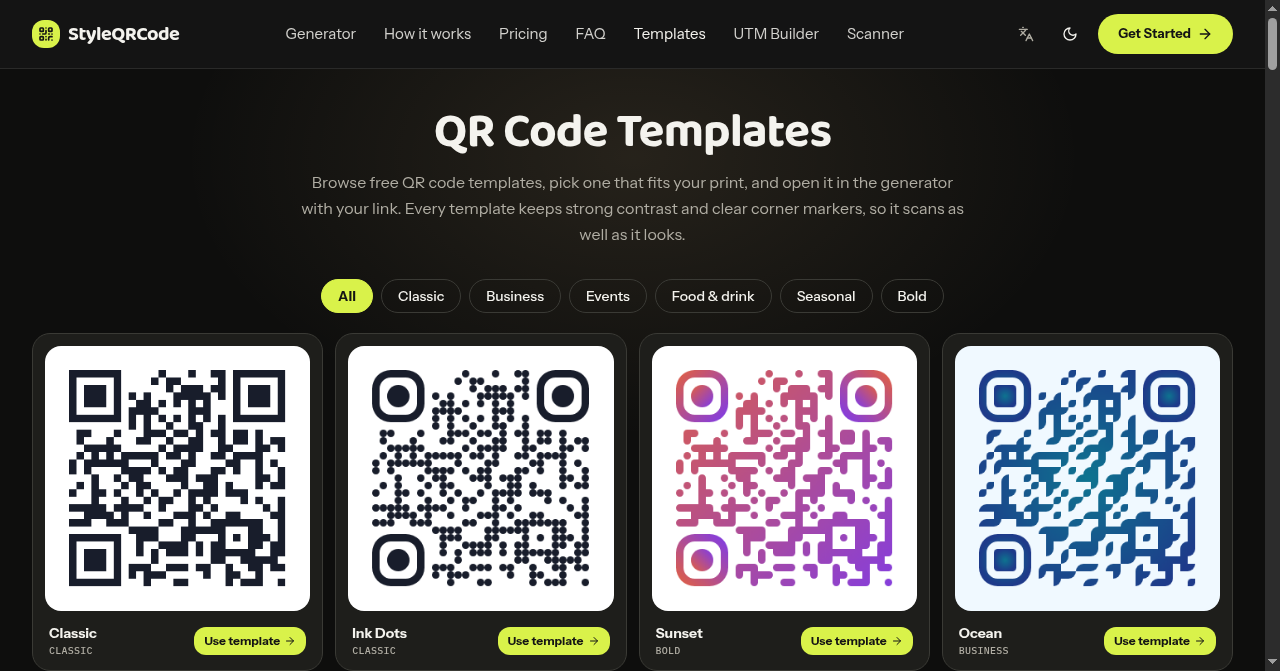
StyleQRCode is a browser-based QR code generator for restaurants, event organizers, shops and designers. Create a static QR code without an account, adjust colors and shapes, add a logo, and check scannability before exporting. Dynamic QR codes let teams update the destination later. StyleQRCode also offers AI QR art and paid plans for higher limits.
StyleQRCode features
- Create QR codes for web links, Wi-Fi and other content types
- Adds custom logos, brand colors, gradients, and artistic effects to designs
- Create visual QR designs with optional AI QR art
- Tests scan reliability and color contrast before you download the file
- Exports high-resolution files in PNG, JPG, WEBP, SVG, PDF, and EPS formats
- Create and download static codes without an account
Who uses StyleQRCode and for what
- Print restaurant menus or product labels with branded QR codes
- Share business contact details on cards or flyers without typing
- Display WiFi login credentials at cafes or offices for guests
- Add payment links to invoices, websites, or physical posters
- Create event tickets or Google Form access codes for workshops
StyleQRCode FAQ
Is StyleQRCode free?
Static codes can be created and downloaded for free. Dynamic QR codes and AI art are available with plan limits and paid options.
Does StyleQRCode require an account?
You can create and download a static code without an account. Sign in to manage dynamic codes.
What formats can I download?
You can export your codes as PNG, JPG, WEBP, SVG, PDF, or EPS files at sizes up to 4096 by 4096 pixels.
Do the QR codes expire?
Static QR codes generated here never expire because the destination URL is stored directly in the pattern. Dynamic codes may have different rules.
Can I add my logo to the QR code?
Yes, you can upload a logo, adjust dot shapes, apply colors or gradients, and the tool automatically increases error correction to keep it scannable.
Does it work on Mac or Windows?
The tool runs entirely in a web browser and works on any operating system that supports JavaScript.
Comments (0)
No comments yet. Ask the maker a question or share how you would use it.
More Design launches
Client photo galleries, video feedback and print sales
Merge PNGs and images privately in your browser
Browser-based BIM for building design and drawings
Custom Tesla wraps, made for your screen — AI designer
GPT Image 2 online — photoreal AI images with sharp text
AI thumbnail art direction for YouTube creators