XShots
Design and localize app-store screenshot sets on Mac
DesignPaid#app-store-screenshots#localization#macos
Launches Feb 3, 2027 at 00:00 UTC
What is XShots?
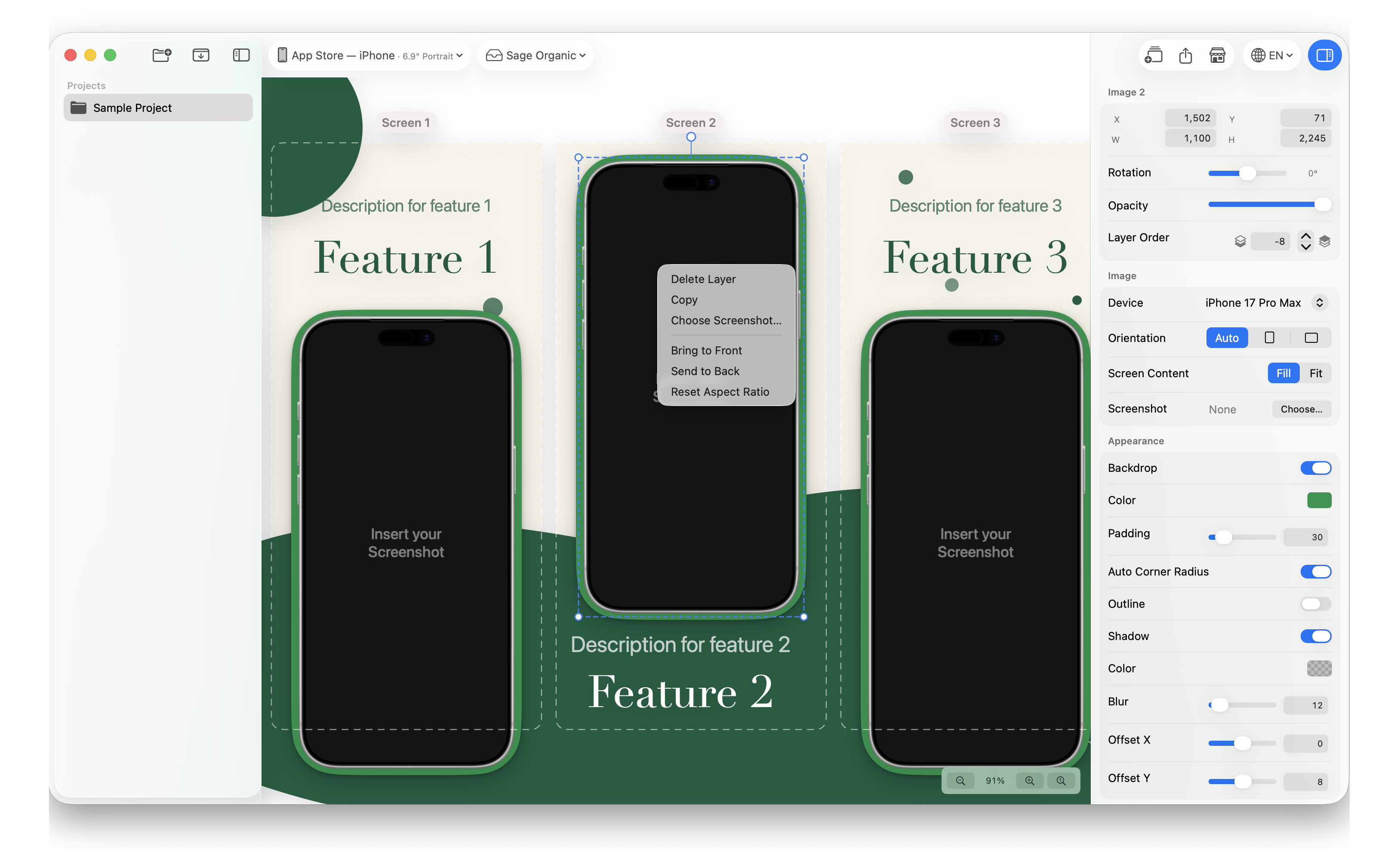
Submitted on behalf of SELFARK LTD. XShots is a native macOS 14+ app for independent app developers and designers preparing app-store screenshot sets. Edit the sequence on a continuous canvas, reuse templates and device-size presets, keep localized copy in the project, preview store listings and batch-export PNG or JPEG sets. Automatic translation requires macOS 15+. Projects and source images stay on the Mac; no SELFARK account is required.
A bundled local stdio MCP server supports automation from compatible clients. XShots does not provide hosted AI generation, cloud collaboration or direct upload to stores. It includes a full three-day trial, then a US$0.99 non-renewing seven-day pass or US$19.99 lifetime purchase; prices in other App Store regions may differ.
XShots features
- Design a screenshot sequence on one continuous canvas with reusable templates
- Manage localized copy and preview iPhone or Mac store listings
- Batch-export PNG or JPEG sets for multiple store and device presets
Who uses XShots and for what
- Independent app makers prepare consistent screenshot sets for app-store listings
- Localize one screenshot project and export the required language and device variants
XShots FAQ
Is XShots free to use?
It offers a one-time full three-day trial, with no payment card required to start it. After that, editing and export require a US$0.99 non-renewing seven-day pass or US$19.99 lifetime purchase. Other App Store regions may have different prices.
Which Mac versions can run XShots?
macOS 14.0 or later. Automatic translation requires macOS 15.0 or later. Download the app through the official Mac App Store link on selfark.com/xshots.
Can XShots upload screenshots directly to app stores?
No. XShots designs and previews screenshot sets and exports PNG or JPEG files; you upload the exported files through the relevant store tools. It does not offer cloud collaboration or hosted AI generation.
Comments (0)
No comments yet. Ask the maker a question or share how you would use it.
More Design launches
Client photo galleries, video feedback and print sales
ConvertPictoOpen source · verified
Free browser-based image converter and compressor
Merge PNGs and images privately in your browser
Browser-based BIM for building design and drawings
Custom Tesla wraps, made for your screen — AI designer
AI thumbnail art direction for YouTube creators